

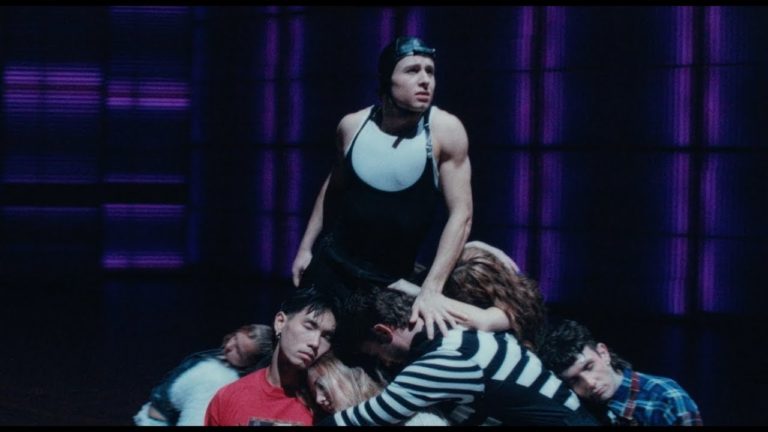
CDK Dance Company delivered a jaw-dropping visual reimagining of Bohemian Rhapsody, translating the operatic drama, shifting moods, and emotional weight of Queen’s anthem into pure movement.
Blessd, The Colombian Urban Superstar Announces ‘El Mejor Hombre Del Mundo’ 2026 U.S. Tour
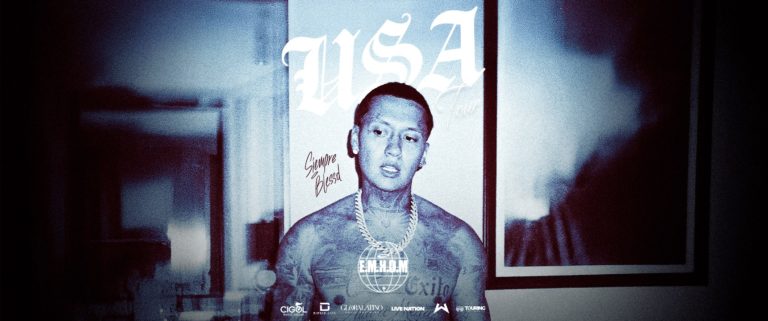
Colombian urban superstar Blessd officially announces his new U.S. tour, El Mejor Hombre Del Mundo, bringing one of Latin music’s most dominant live acts to stages across the country this spring. Kicking off April 8 in Tampa, the tour will span major markets including New York, Los Angeles, Chicago, Houston, Atlanta, and more, before closing with a landmark performance at Miami’s Kaseya Center on May 9. The tour arrives as Blessd continues to cement his status as one of the most influential voices in Latin urban music today.
Following a career-defining year marked by chart dominance, sold-out performances, and global milestones, El Mejor Hombre Del Mundo Tour represents the next phase of his international expansion, taking a show built on authenticity, ambition, and street-rooted energy to U.S. audiences at full scale.
Blessd enters 2026 with unprecedented momentum after closing 2025 as Spotify Colombia’s most-streamed artist, leading the platform with multiple simultaneous Top 50 hits and surpassing 27 million monthly listeners. The upcoming U.S. run follows his RHLM x Blessd Tour alongside Anuel AA and builds on the success of El Mejor Hombre Del Mundo Tour in Colombia, after the completion of his first ticketed European tour.
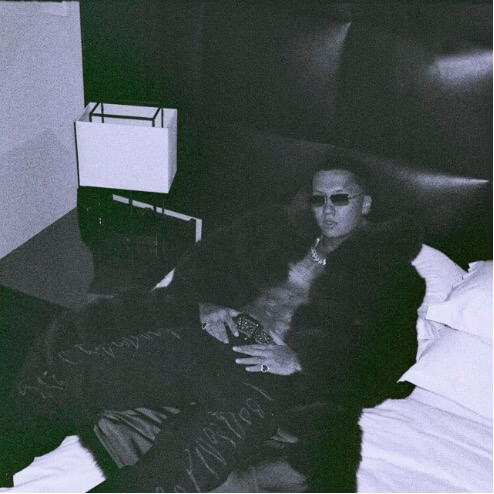
Across intimate theaters, iconic venues, to major arenas, fans can expect a high-impact live experience featuring hits that have defined his career, along with new music that continues to push his sound forward. More than a tour, El Mejor Hombre Del Mundois a statement of growth, leadership, and a global artist moving with intention.
TICKETS: Tickets will be available starting with an artist presale beginning on Thursday, Jan. 29 at 12PM local time. Additional presales will run throughout the day ahead of the general on sale beginning on Friday, Jan. 30 at 10AM local time. Sign up for first access to the artist presale tickets HERE.
2026 U.S. TOUR DATES
Apr 8 — Tampa, FL — The Duke Energy Center for the Arts – Mahaffey Theater
Apr 11 — Charlotte, NC — The Fillmore Charlotte
Apr 12 — Atlanta, GA — Coca-Cola Roxy
Apr 17 — Brooklyn, NY — Barclays Center
Apr 18 — Boston, MA — Orpheum Theatre
Apr 19 — Washington, DC — Echostage
Apr 22 — Chicago, IL — Rosemont Theatre
Apr 24 — Denver, CO — Fillmore Auditorium
Apr 26 — Las Vegas, NV — House of Blues
Apr 29 — San Jose, CA — San Jose Civic
May 1 — Los Angeles, CA — Peacock Theater
May 2 — El Paso, TX — Miche Festival
May 5 — Irving, TX — The Pavilion at Toyota Music Factory
May 6 — Houston, TX — 713 Music Hall
May 8 — Orlando, FL — Hard Rock Live
May 9 — Miami, FL — Kaseya Center
Blessd is one of the most influential voices in Latin urban music today. Born in Medellín, Colombia, his raw storytelling, melodic instinct, and relentless work ethic have propelled him from local beginnings to global prominence. Known for chart-defining hits such as “Deportivo,” “Amista,” “Yogurcito Remix,” and “COMO OREO,” Blessd has built a career rooted in authenticity, cultural impact, and consistent dominance, earning multiple Billboard Latin Airplay #1s, major award nominations, and wins across the Latin music industry.
In 2025, he closed the year as Spotify Colombia’s most-streamed artist, surpassing 27 million monthly listeners and placing more than 10 songs simultaneously in the country’s Top 50, while his fifth studio album Trinidad Bendita ranked among the most-streamed albums in the country. That same year, Blessd became the first Latin artist to open the Ballon d’Or ceremony in Paris, sold out his first stadium show in Bogotá before more than 55,000 fans, completed his first ticketed European tour, and continued expanding his influence through new music, global touring, and cross-cultural projects that bridge music, sports, and community.
How to Choose a Web Design Firm in Toronto That Focuses on Accessibility and Inclusivity Standards
By Mitch Rice
In a rapidly evolving digital era, a business’s website is more than a virtual storefront; it is a vital platform for communication, service delivery, and brand representation. For companies in Toronto striving to reach the broadest audience possible, selecting a web design partner that prioritizes accessibility and inclusivity is not just ethical—it is essential. Web design that embraces these standards ensures that individuals with disabilities, different abilities, and unique user needs can navigate, understand, and engage with your digital presence effectively. This comprehensive guide explores how to choose a web design firm in Toronto that will deliver an accessible, inclusive site that meets user expectations and legal requirements while reinforcing your brand’s commitment to equal access.
Understanding the Importance of Accessibility and Inclusivity
Before delving into how to choose the right web design firm, it’s important to understand what accessibility and inclusivity mean within the context of web experiences. Accessibility refers to designing websites that can be used by people with a range of disabilities—visual, auditory, cognitive, motor, and more. Inclusivity goes beyond accessibility to ensure that a website not only functions for all users but also resonates with their diverse needs, backgrounds, languages, and cultural contexts. Both principles require thoughtful planning, technical expertise, and ongoing evaluation.
In Canada, accessibility standards such as the Accessibility for Ontarians with Disabilities Act (AODA) set legal expectations for public and private organizations. Aligning with these standards is not optional; it’s a strategic and legal necessity for businesses serving diverse audiences. A web design firm that champions accessibility and inclusivity will not only comply with these regulations but also create user experiences that foster engagement, loyalty, and trust.
Define Your Accessibility and Inclusivity Goals
The first step in choosing the right web design firm in Toronto is to define what accessibility and inclusivity mean for your organization. While general standards such as the Web Content Accessibility Guidelines (WCAG) provide global frameworks, each business has unique audiences, services, and use cases. Document specific objectives such as:
- Ensuring your website is navigable using screen readers.
- Providing alternative text for all non-text content.
- Offering clear and consistent navigation structures.
- Supporting language translation or culturally relevant content.
- Designing forms that are usable by individuals with motor challenges.
- Adapting content for cognitive accessibility with clear structure and readable language.
By outlining these goals, you can communicate expectations clearly with web design firms and evaluate their ability to deliver on each criterion. This clarity also allows you to partner with teams that share your vision for equitable digital experiences.
Research Firms With Demonstrated Expertise
Not all web design agencies in Toronto are equally equipped to deliver accessible and inclusive solutions. When evaluating potential partners, prioritize those with a proven track record in accessibility-first design. Request case studies, testimonials, or portfolios that demonstrate how they have implemented accessibility standards such as WCAG 2.1 or AODA compliance.
Look for firms that go beyond superficial design aesthetics to integrate accessibility into the foundation of their process. Ask prospective partners how they incorporate accessibility testing during design, development, and quality assurance. A firm that truly understands inclusivity will be able to articulate strategies for user research, assistive technology support, and iterative improvements based on user feedback.
Consider their overall digital services as well. Firms that understand search visibility and user engagement holistically—such as the Best SEO Company partners—can ensure that accessibility complements performance and search relevance. Integrating accessibility with SEO Canada best practices not only enhances usability for assistive technologies but also improves discoverability across search engines.
Evaluate Their Technical Knowledge
An accessible website requires more than just good intentions; it requires deep technical knowledge. When interviewing web design firms, ask them to articulate how they approach key accessibility features. Relevant questions might include:
- How do you ensure keyboard navigability for users who cannot use a mouse?
- What methods do you use to test screen reader compatibility with your designs?
- How do you structure semantic HTML to support assistive technologies?
- What processes do you follow for captioning audio and video content?
- How do you ensure color contrast meets accessibility standards?
A firm with strong technical expertise should be comfortable explaining the code-level decisions that support accessibility. They should also be familiar with tools and frameworks that facilitate accessible design, including ARIA roles, responsive design techniques, and automated testing tools.
Assess Their User-Centered Design Approach
Accessibility and inclusivity are most effective when grounded in user-centered design (UCD). A firm that values UCD will involve real users in the design process, particularly individuals with disabilities or unique user needs. Ask potential firms whether they conduct usability testing with diverse participants and how they incorporate feedback into iterative design cycles.
User-centered design also means understanding the contexts in which different users interact with your site. An accessible website should anticipate a range of devices, internet speeds, and assistive technologies. The web design firm should demonstrate how they plan for these variations, ensuring consistent performance and ease of use across different environments.
Review Their Commitment to Inclusive Content
Inclusivity extends beyond accessibility features to the way content is crafted and presented. Language, imagery, and cultural references should reflect and respect the diversity of your audience. A web design firm that prioritizes inclusivity will often partner with skilled content strategists, copywriters, and UX writers who understand how to communicate with clarity and cultural sensitivity.
Ask about their approach to content inclusivity. Do they provide guidance on plain language writing? Are they equipped to support multilingual content for broader accessibility? Do they consider diverse cultural perspectives when designing visual elements or user journeys? The ability to integrate accessibility with inclusive content production is a hallmark of a comprehensive web design partner.
Check for Integration With SEO Canada and Broader Digital Strategy
An accessible website that is poorly optimized for search engines may still fail to reach its intended audience. Accessibility and search engine optimization (SEO) often go hand in hand, as both require clean, semantic HTML, proper tagging, and thoughtful content structure. Firms that understand this synergy—such as those recognized as a Best SEO Company in the region—can design and build sites that perform well in search results while remaining accessible to all users.
Discuss how the web design firm intends to integrate accessibility with broader digital strategies such as SEO Canada, mobile optimization, and performance best practices. SEO Canada expertise ensures that your site is structured for visibility in Canadian search markets, aligns with local user expectations, and competes effectively within your industry niche. By aligning accessibility with SEO strategy, you create a digital presence that is both discoverable and welcoming to all users.
Examine Their Process for Ongoing Maintenance and Monitoring
Accessibility is not a one-time checklist item—it is an ongoing commitment. Technology changes, content evolves, and user needs shift over time. Therefore, the right web design firm should offer clear plans for maintaining accessibility post-launch. Ask about their support services, maintenance packages, and tools for monitoring accessibility over time.
A proactive firm will propose periodic audits, automated testing integrations, and strategies for updating content to maintain compliance with evolving standards. They should also educate your internal team on best practices for content updates to prevent accessibility regression. A long-term partnership ensures that accessibility remains embedded in your digital presence rather than becoming an afterthought.
Consider Cultural Fit and Communication
Technical skills are essential, but cultural fit and effective communication are equally important when choosing a web design partner. Accessibility and inclusivity goals often require ongoing dialogue, education, and collaboration. Evaluate whether the firm takes the time to understand your organizational values, listens to your goals, and communicates clearly about challenges and solutions.
During your discussions, assess how they present complex topics like accessibility requirements. Are they patient and explanatory? Do they provide clear timelines and realistic expectations? Effective communication ensures alignment throughout the project lifecycle and builds trust that your firm understands and can deliver on critical accessibility standards.
Understand Budget and Value Alignment
Cost is inevitably a factor when choosing a web design firm, but it should be weighed against value. Accessibility and inclusivity-centered design may require additional investment compared to traditional web design because of specialized testing, user research, and technical implementation. However, this investment yields long-term value by expanding your audience, reducing legal risk, and enhancing user satisfaction.
Request detailed proposals that outline deliverables, milestones, and cost breakdowns. Evaluate the transparency of pricing and the alignment of services with your accessibility goals. Be wary of firms that offer vague estimates or low-cost solutions without demonstrating a deep understanding of accessibility requirements. Investing in quality from the outset will save time and resources in the long run.
Request References and Testimonials
Before making a final decision, request references from previous clients whose projects involved accessibility and inclusivity. Speaking directly with organizations that have worked with the firm provides insights into communication style, problem-solving capabilities, project management efficiency, and long-term support.
Ask references about how the firm handled challenges, whether they delivered on accessibility promises, and how satisfied they were with the final outcome. Testimonials and reviews can reveal patterns of excellence or areas of concern that may not be apparent from portfolios alone.
Make an Informed Decision and Plan for the Future
Choosing a web design firm in Toronto that prioritizes accessibility and inclusivity standards requires deliberate research, clear communication, and strategic alignment with your goals. By defining what accessibility means for your organization, evaluating technical expertise, integrating broader digital strategies such as SEO Canada, and focusing on long-term maintenance, you can select a partner capable of delivering a modern, inclusive web experience.
Accessibility is not merely a compliance requirement; it is a reflection of your brand’s values. It signals that you value every user’s experience and are committed to removing barriers. When thoughtfully integrated into your web design, accessibility and inclusivity enhance usability, broaden reach, and build trust with your audience. By following this guide, you can confidently choose a web design firm in Toronto that supports your mission and helps you create a digital presence that truly serves all users.
Data and information are provided for informational purposes only, and are not intended for investment or other purposes.
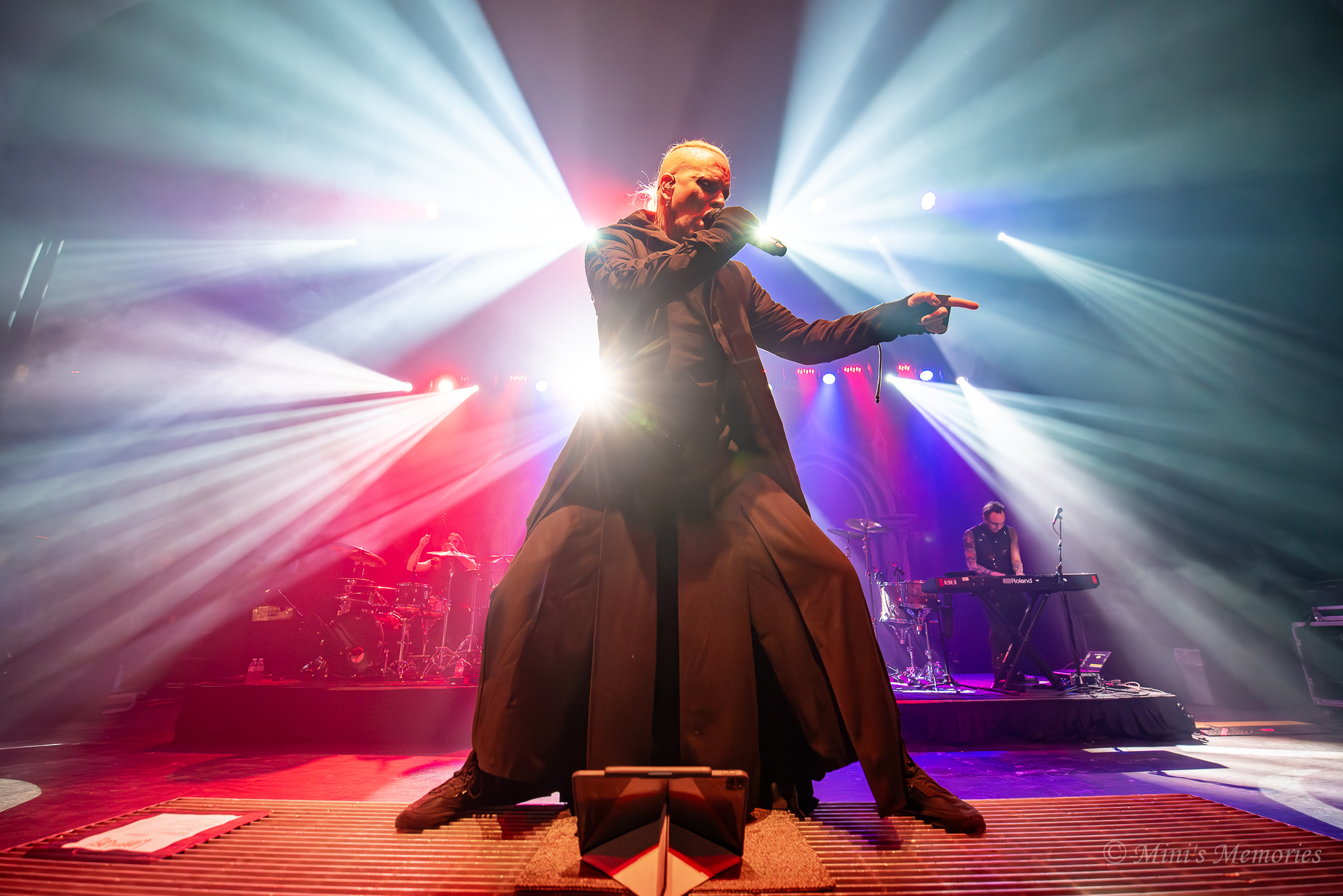
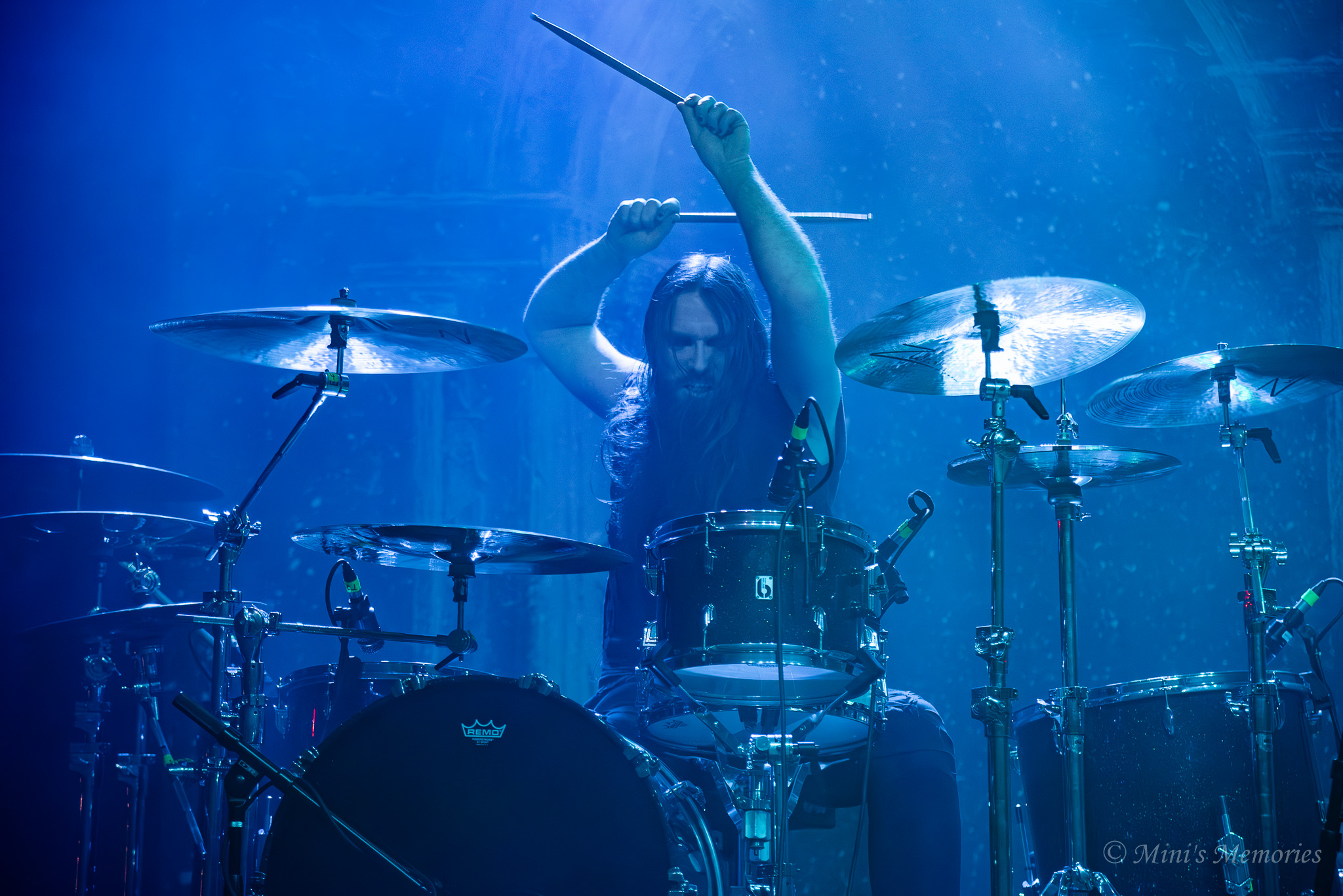
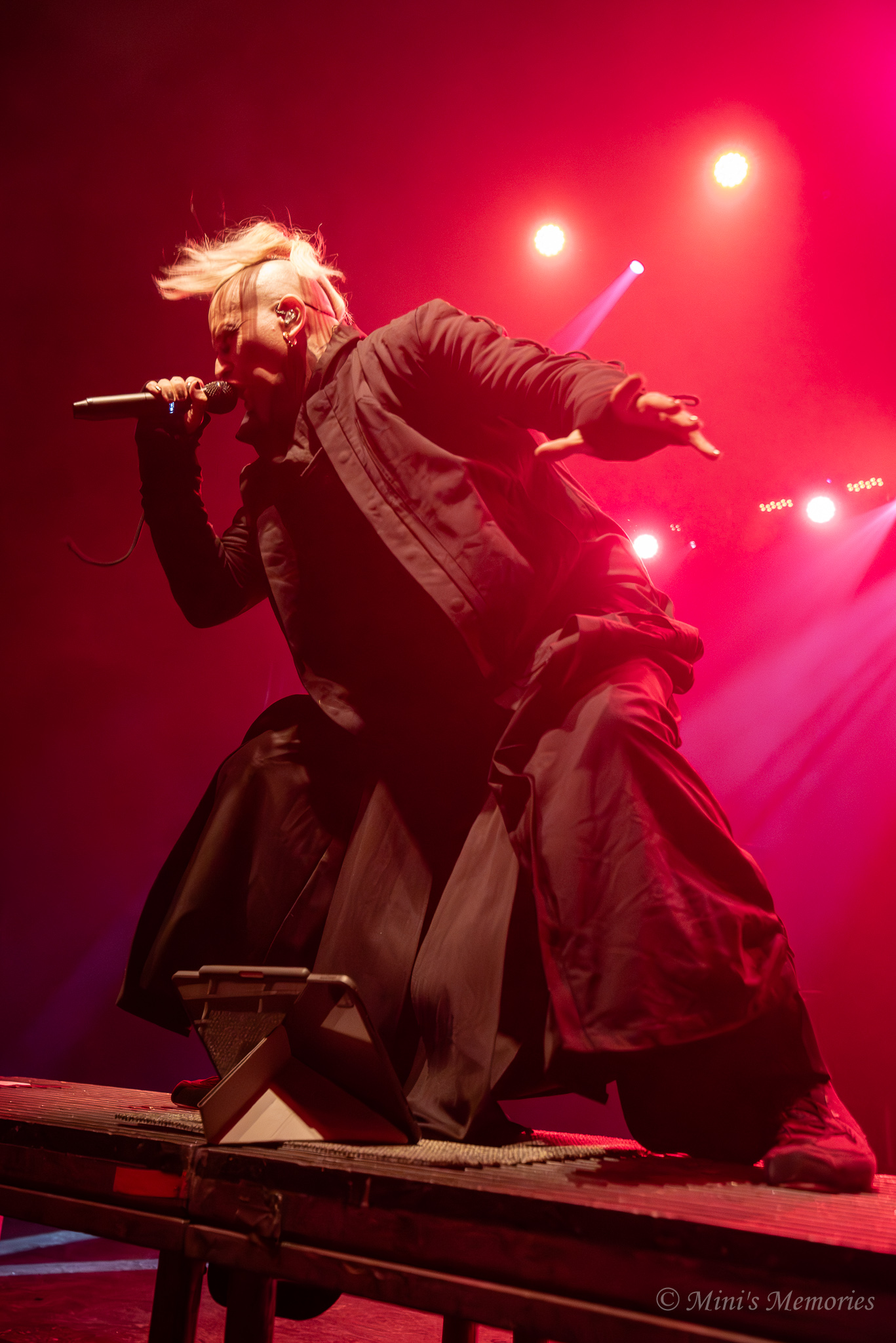
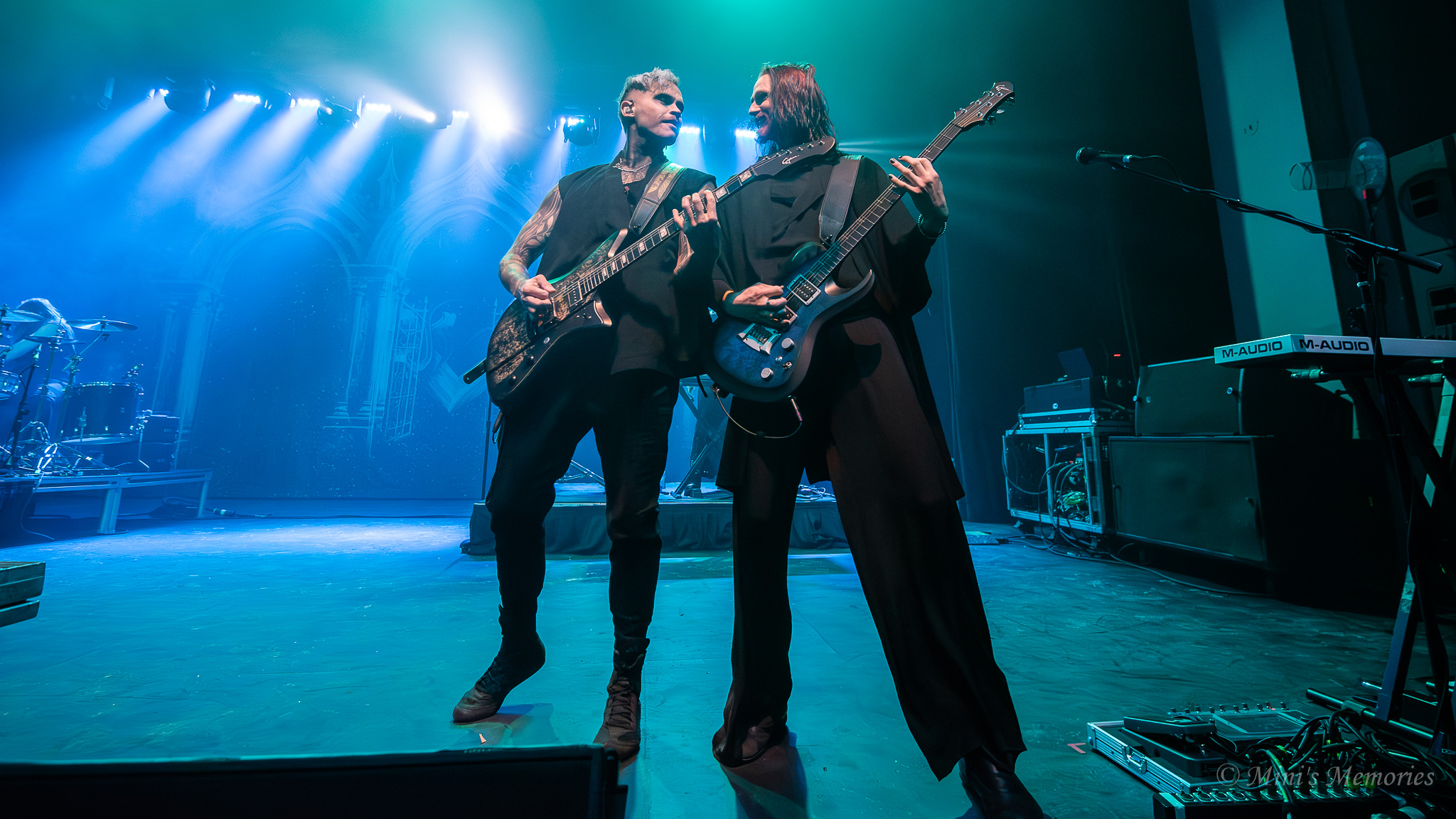
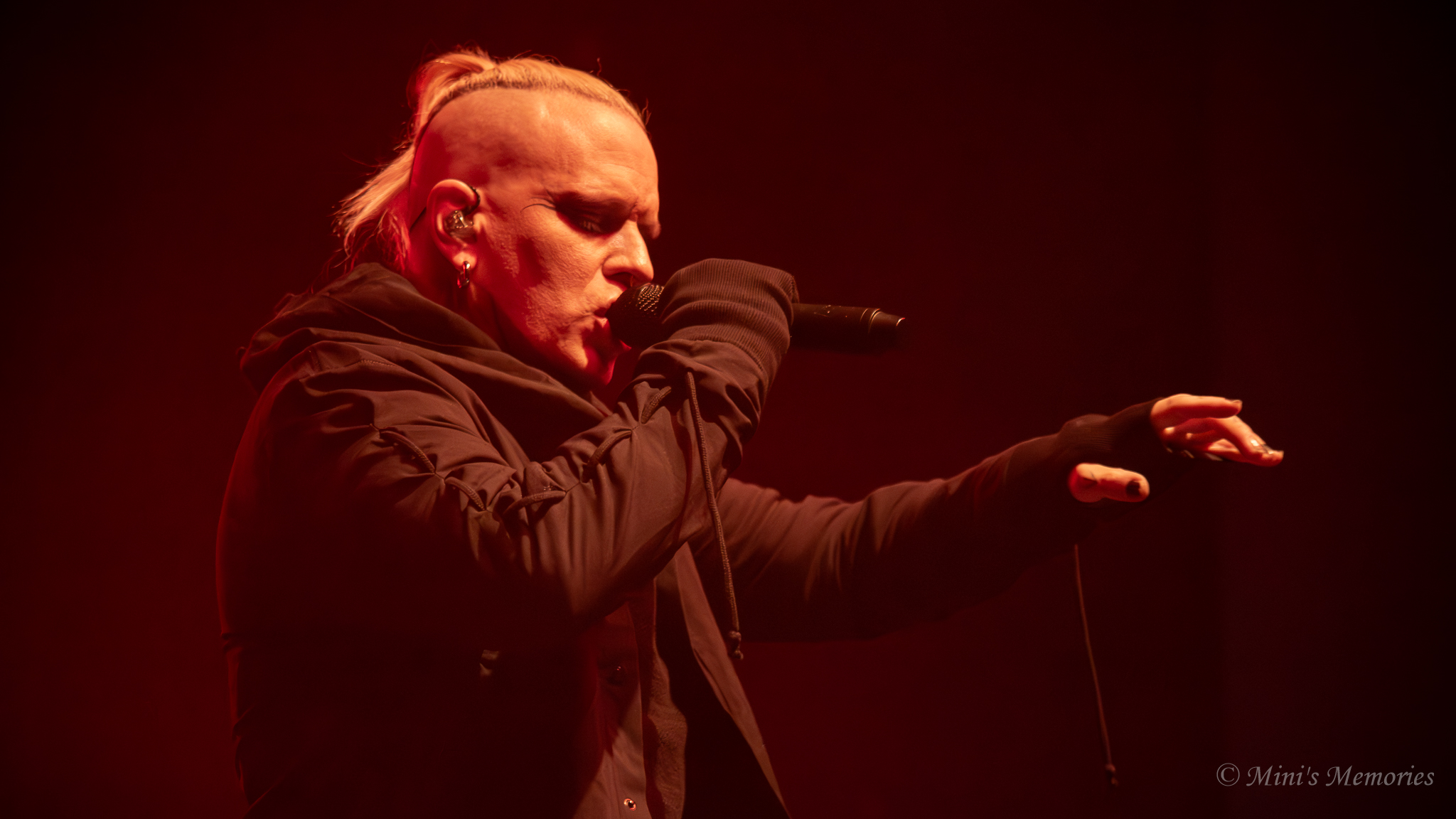
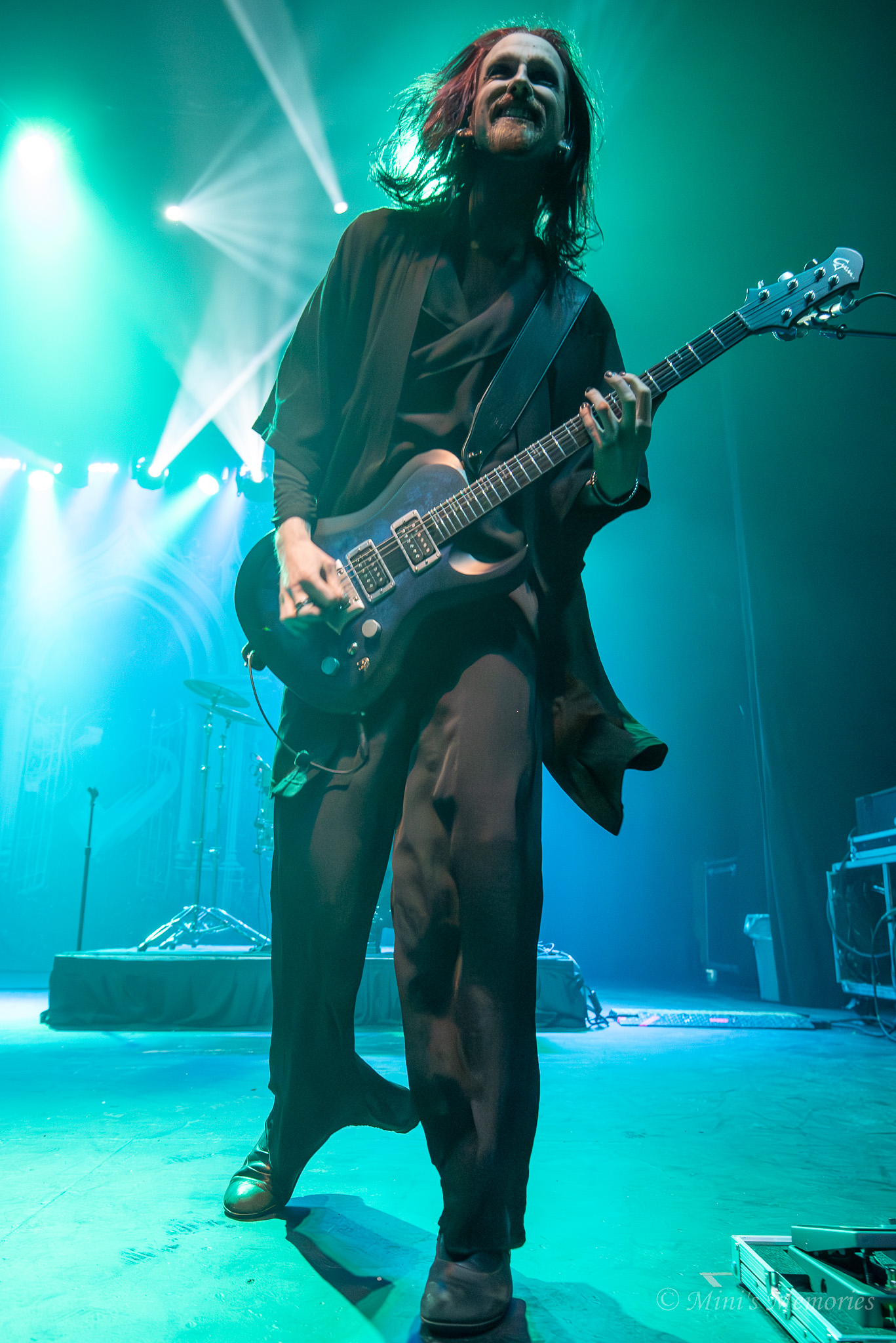
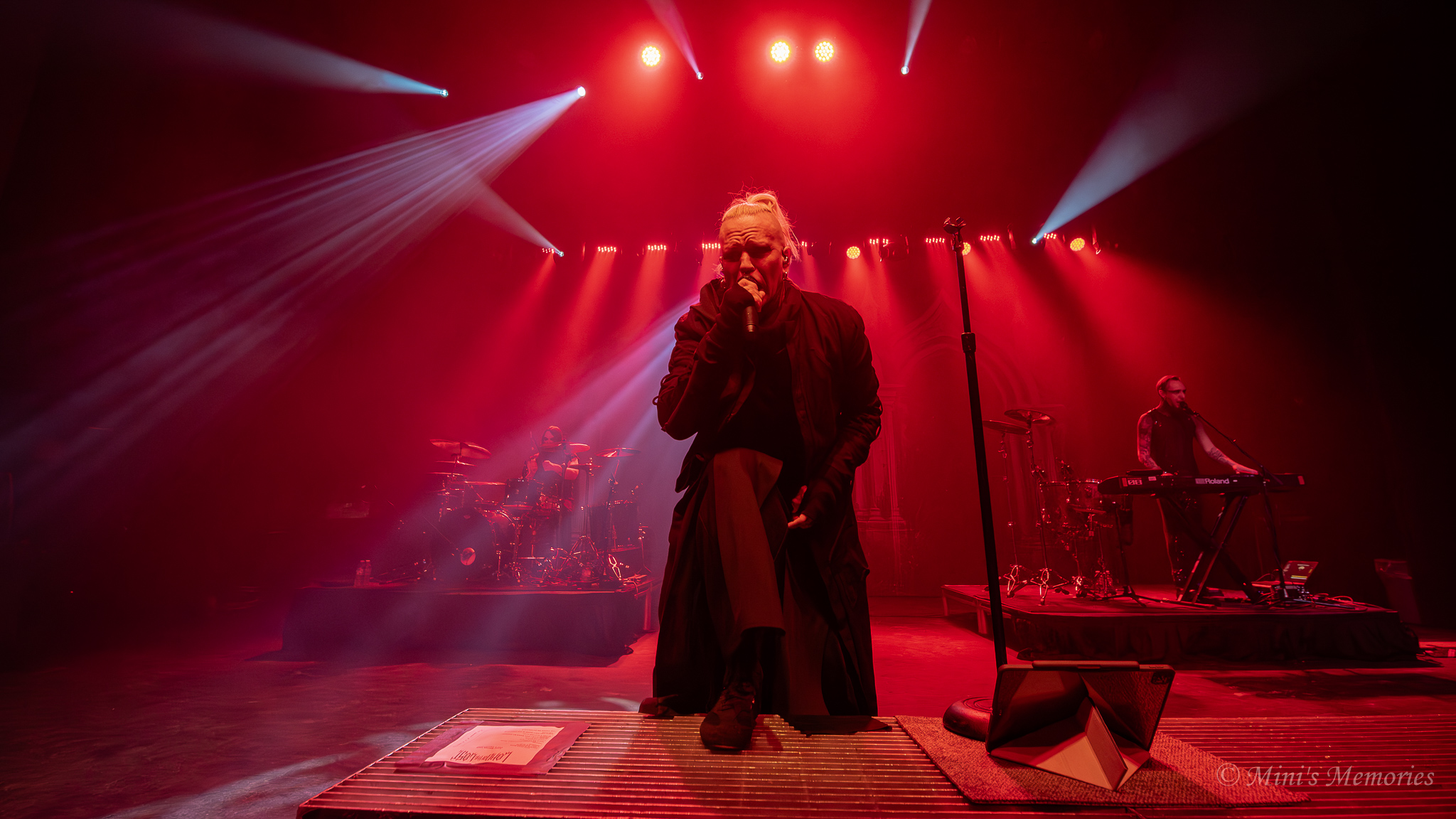
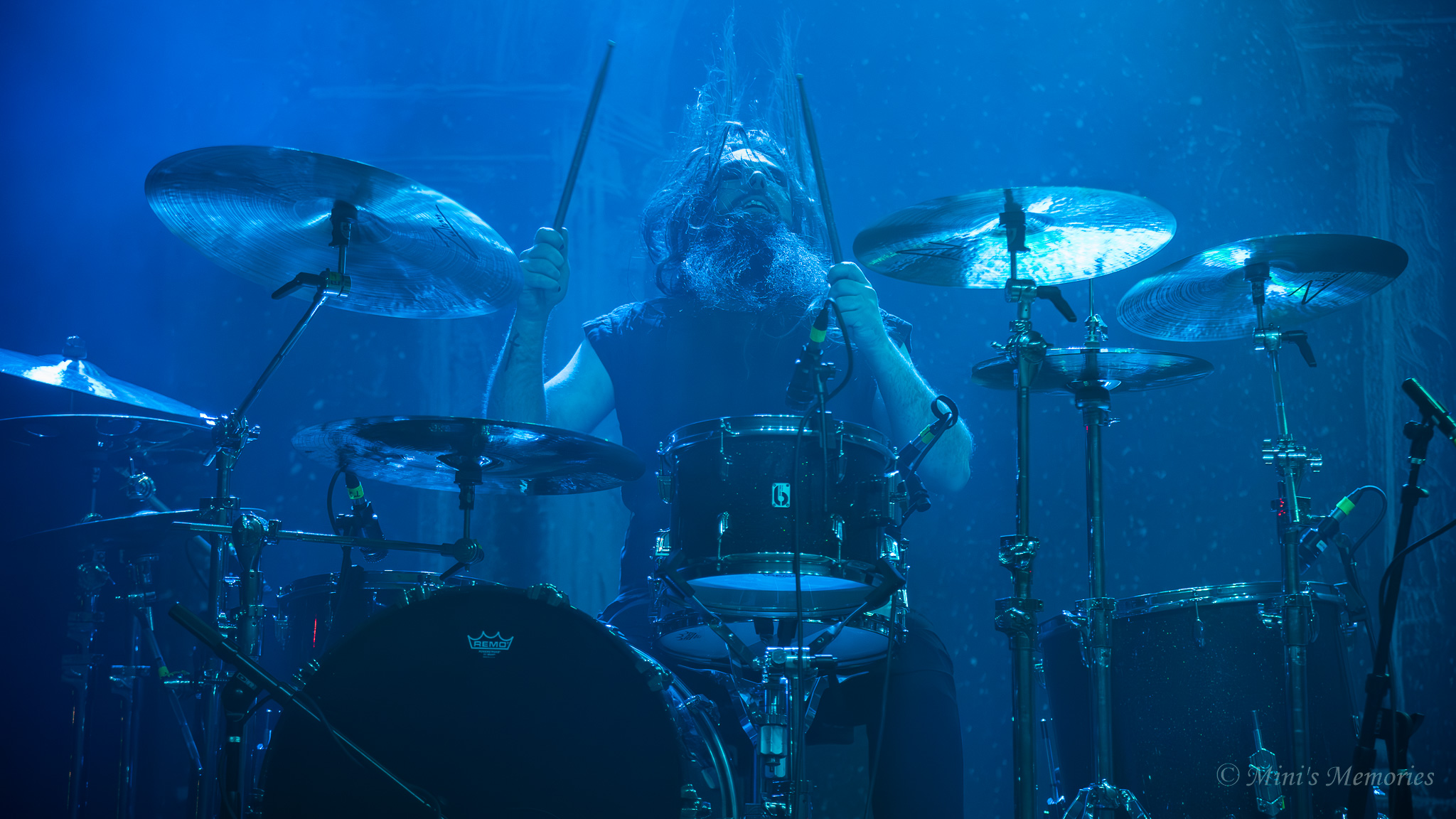
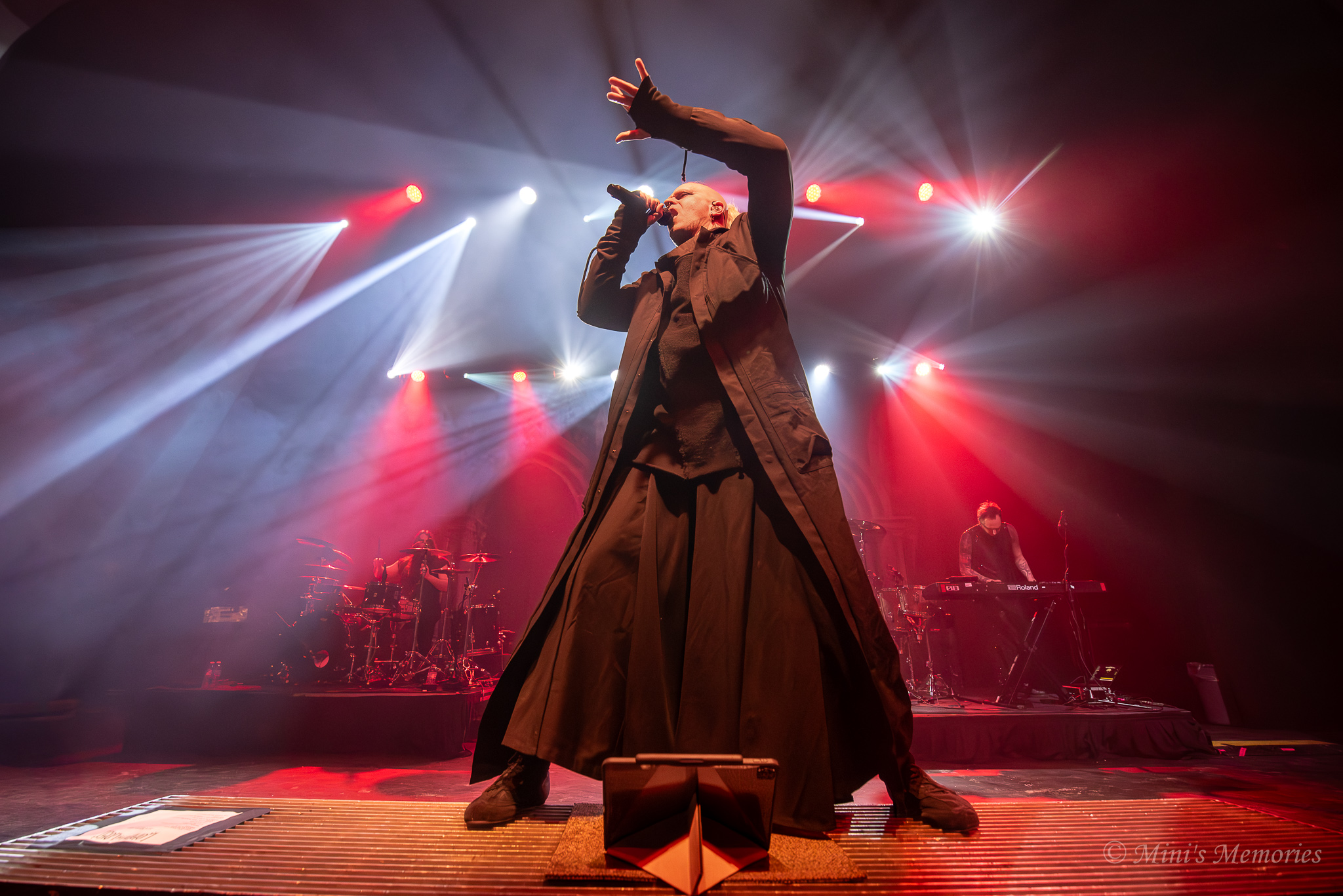
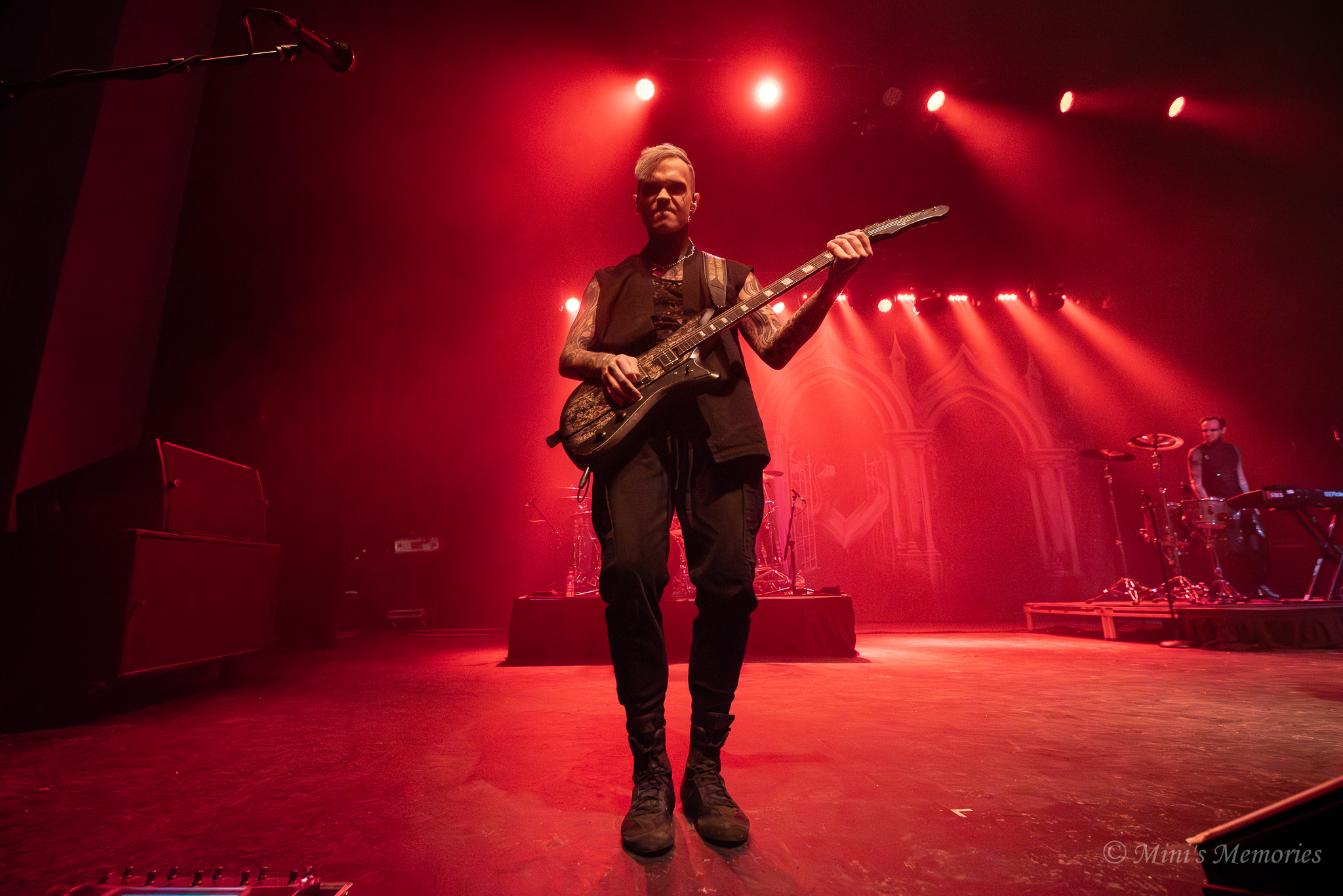
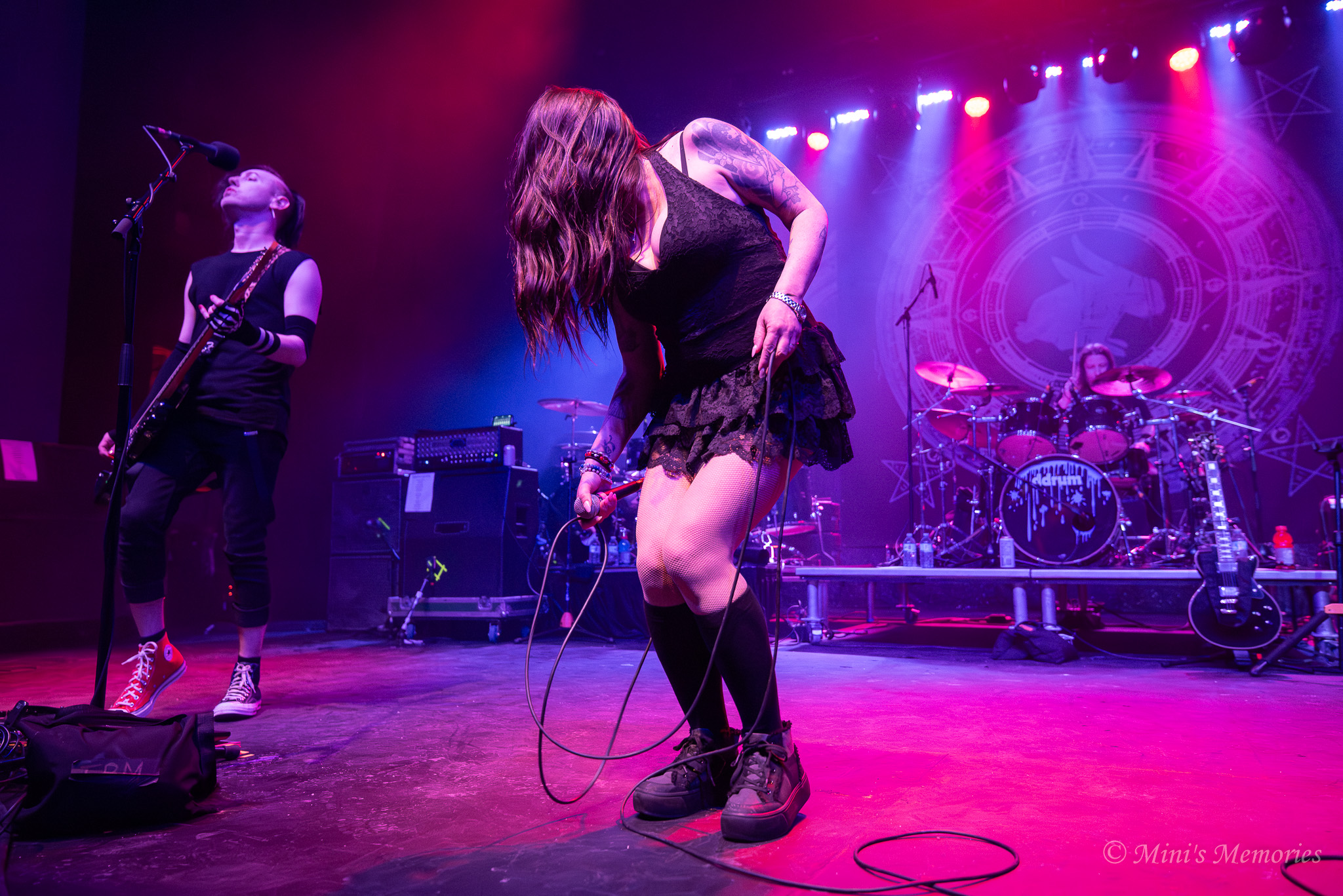
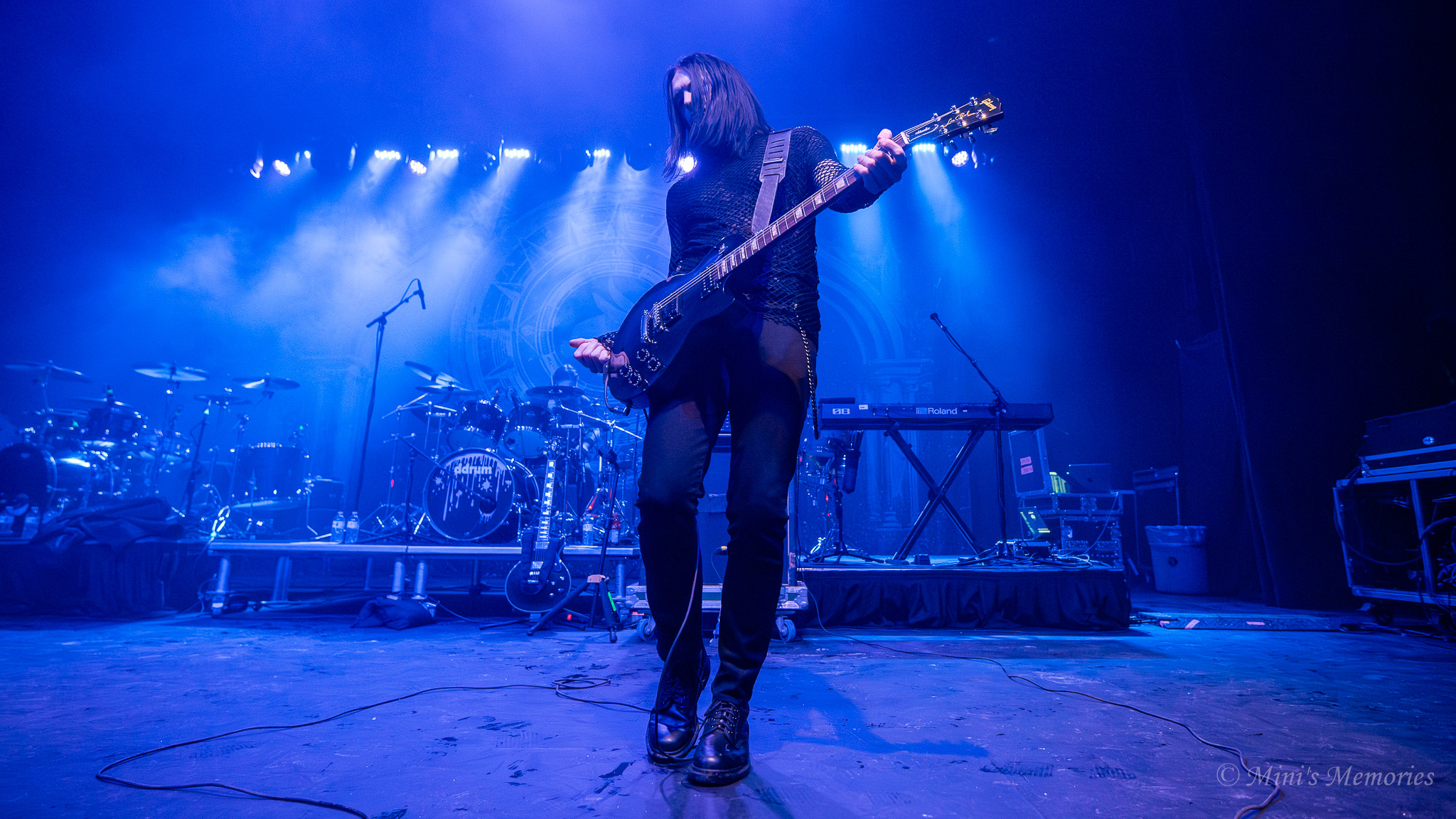
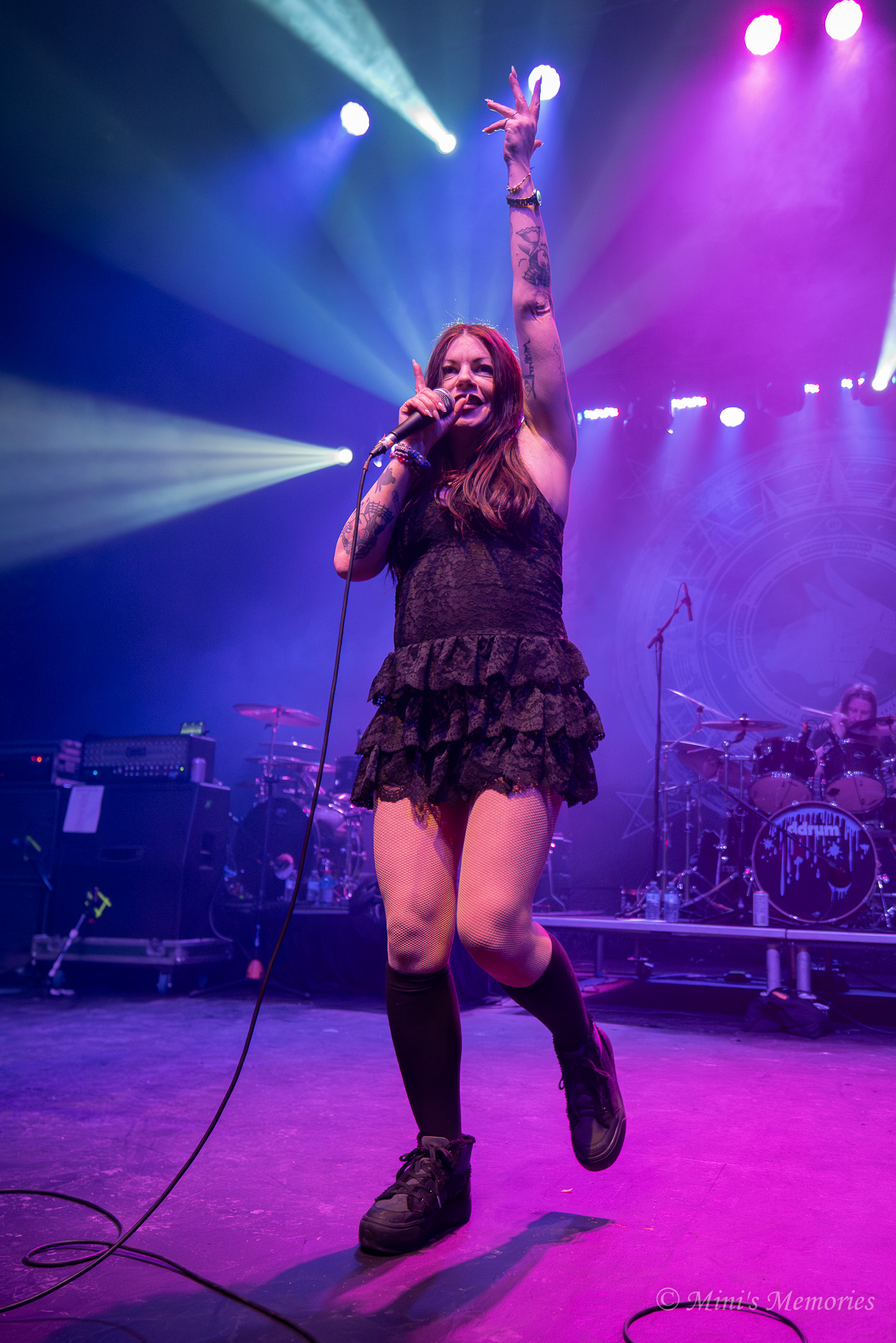
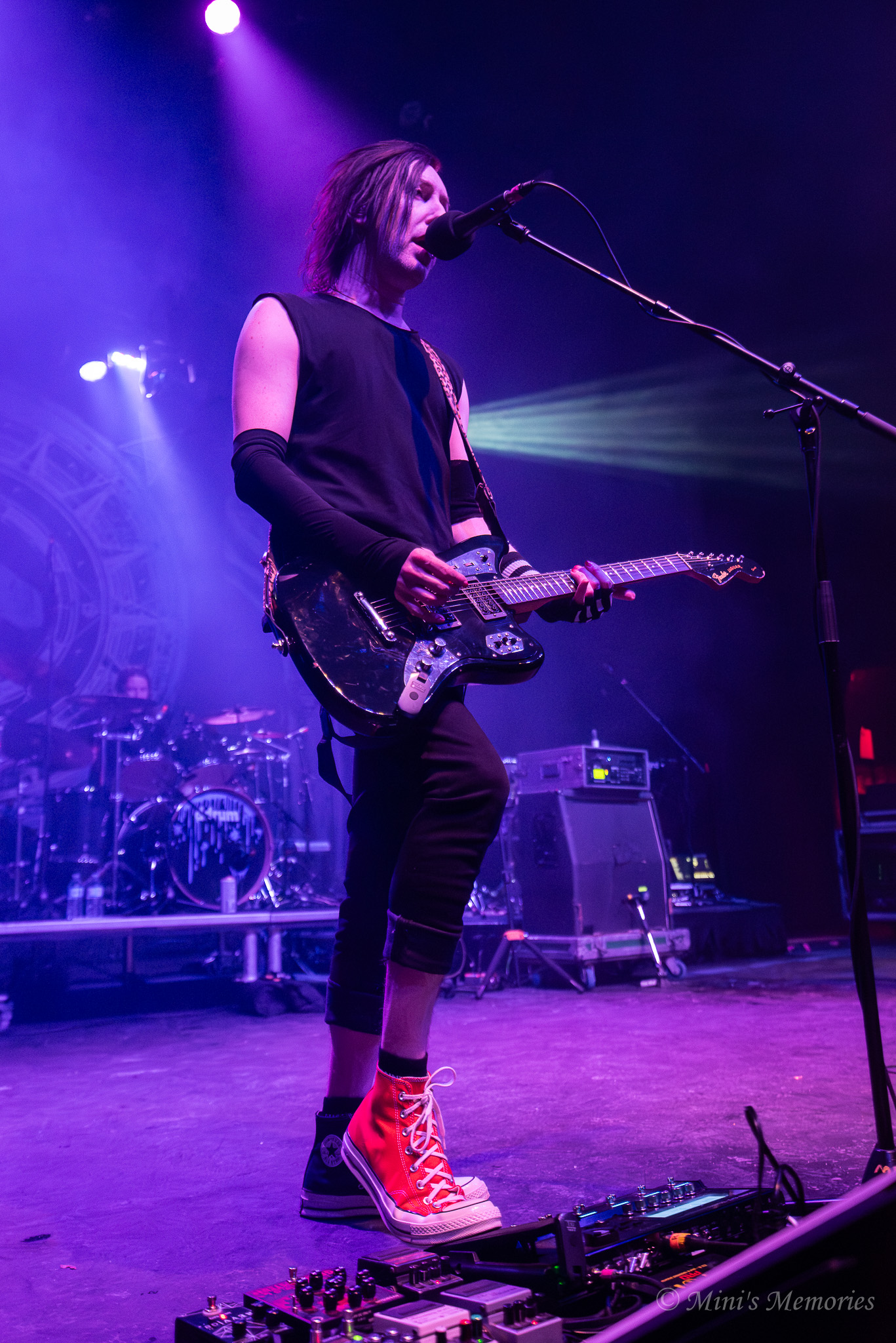
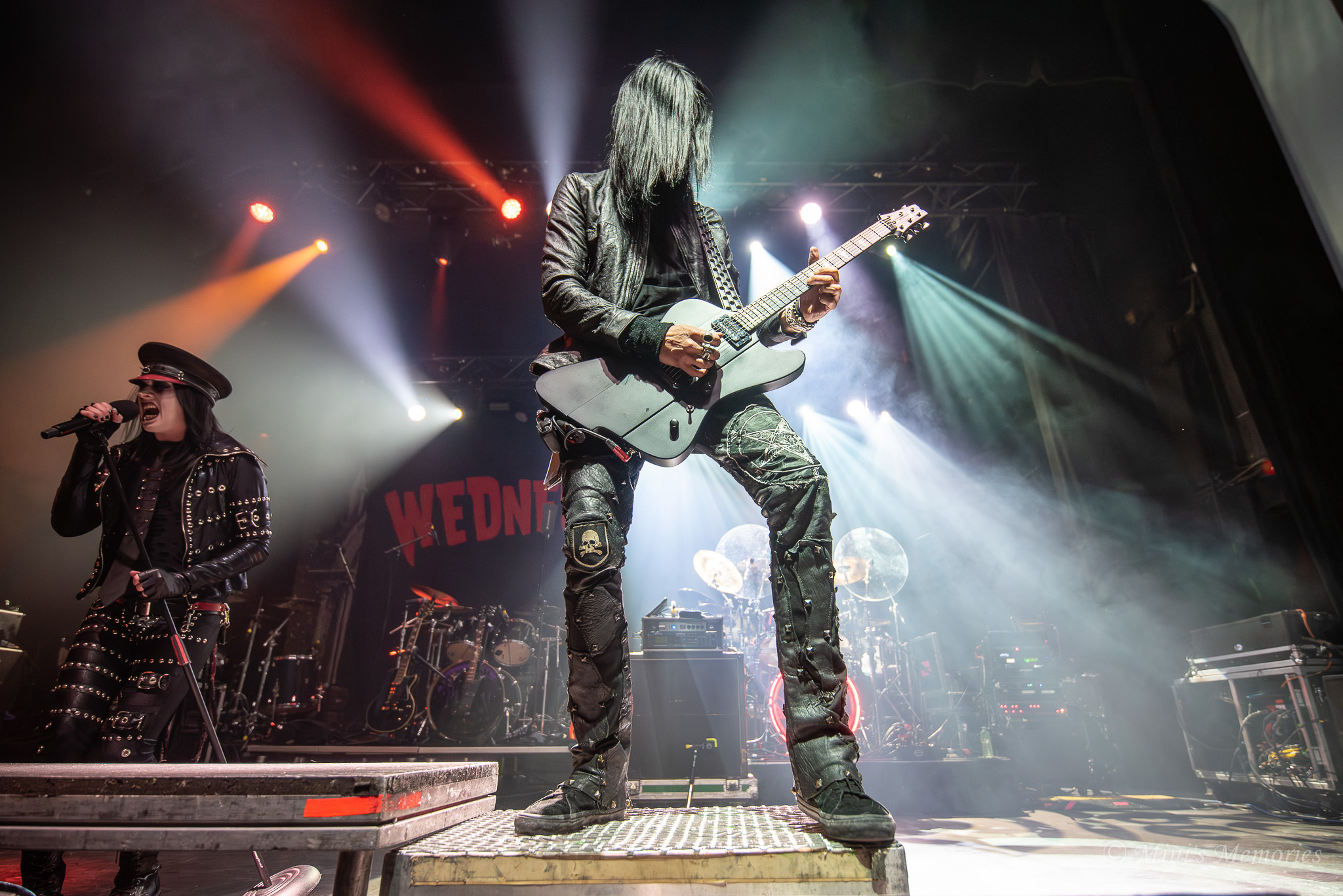
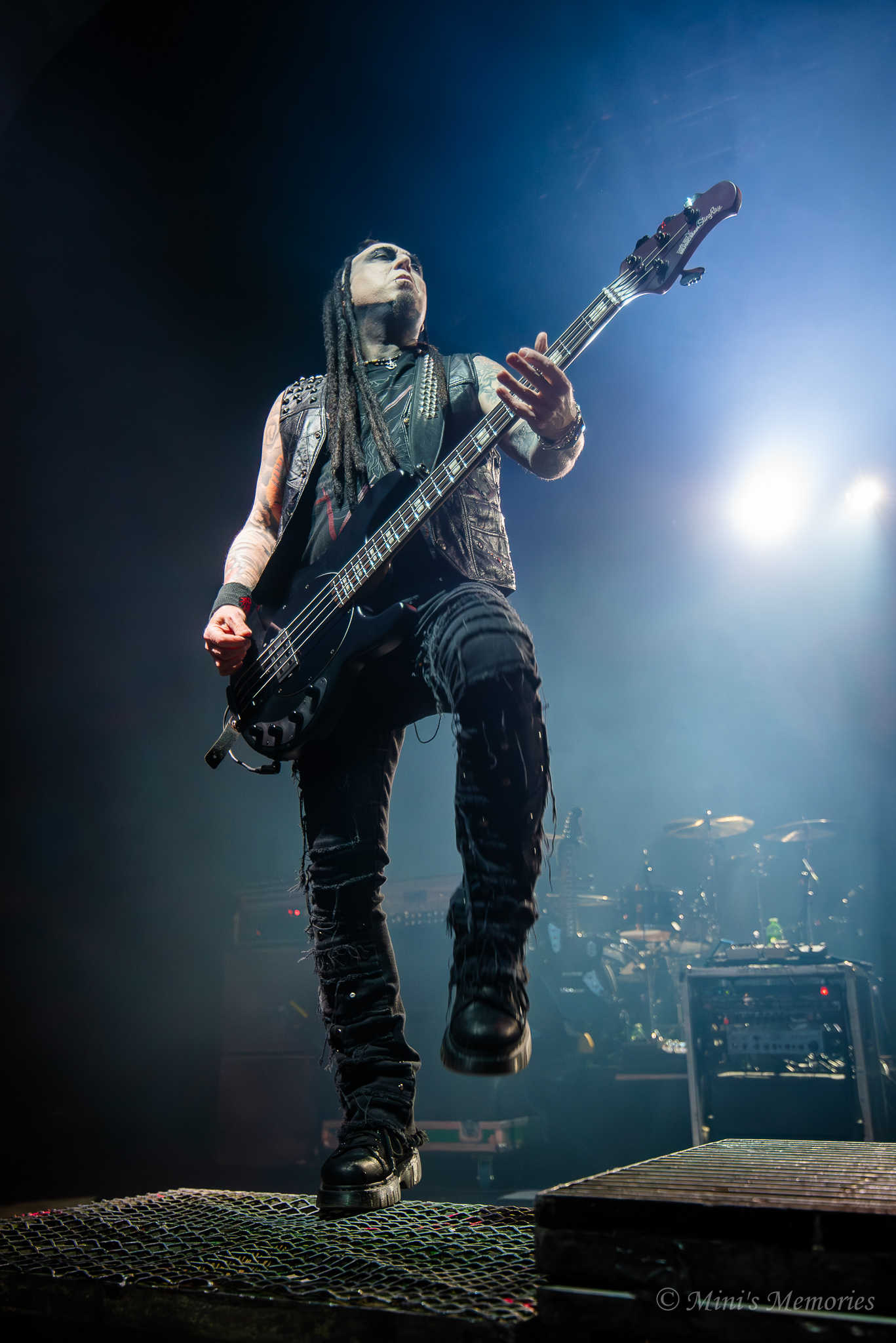
Lord Of The Lost, The Birthday Massacre, and Wednesday 13 at Danforth Music Hall at Toronto’s Danforth Music Hall on January 27, 2026
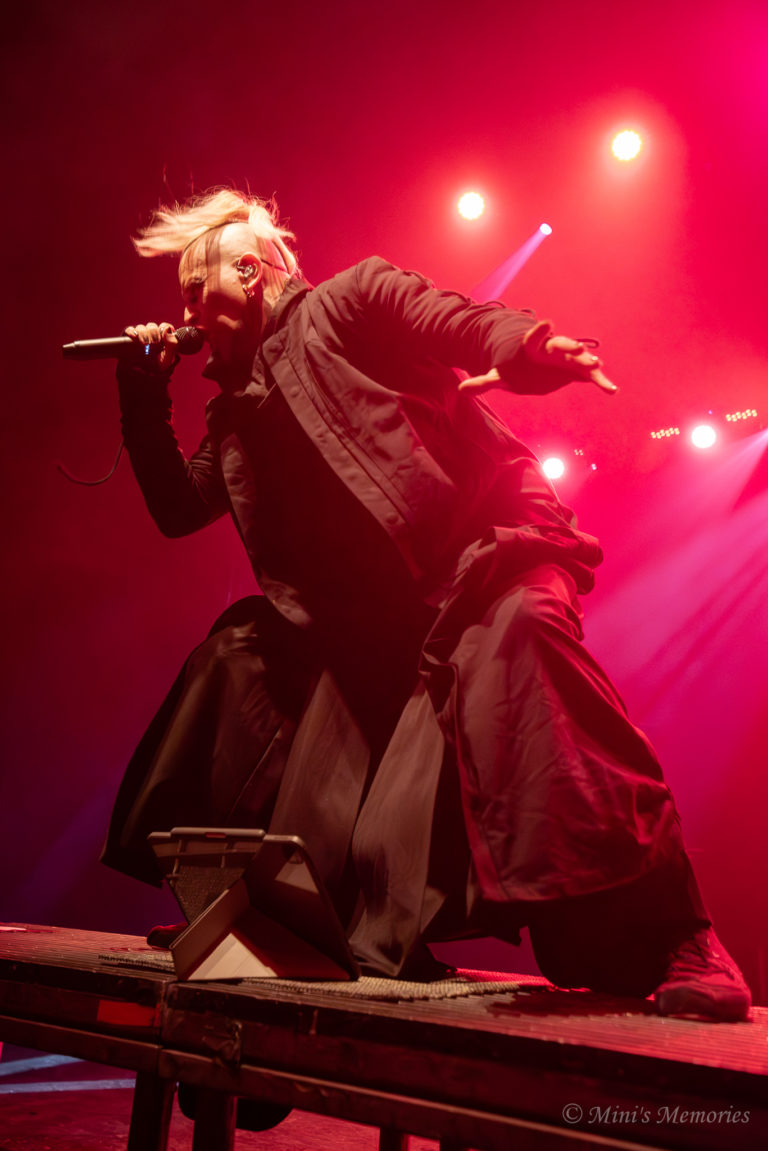
All photos by Mini’s Memories. You can contact her through Instagram or X.






2016 Penny Error List & Coin Value
By Mitch Rice
Finding a 2016 penny error in your pocket change could be worth significantly more than one cent. These modern minting mistakes range from dramatic doubled dies to subtle die cracks, with values spanning from $5 to over $400 depending on the type and condition.
Accurate identification is crucial for coin collectors looking to maximize their finds. Many common varieties get mistaken for valuable errors, leading to disappointment and wasted grading fees. Professional coin value apps like CoinKnow can instantly determine what your 2016 pennies are worth, providing real-time market pricing and professional valuations for accurate assessments—saving you time and ensuring you don’t overlook a genuine treasure.
2016 Penny Doubled Die Obverse Error
The doubled die obverse (DDO) is one of the most sought-after 2016 penny errors. This mistake occurs during the die-making process when the hub impression shifts slightly between strikes, creating a visible doubling effect on Lincoln’s portrait and inscriptions.
Look for doubled elements in “LIBERTY,” “IN GOD WE TRUST,” the date “2016,” and Lincoln’s eye or bowtie. The doubling appears as a shadow or layered effect, distinct from machine doubling which looks flat and shelf-like. Genuine DDO errors show rounded, raised doubling that’s consistent across affected areas.
Values range from $25 for minor varieties to $80 or more for strong, clearly visible doubling. A 2016-P penny with doubled obverse and reverse sold for $80 at a 2020 auction. Coins in higher grades (MS65+) command premium prices.
Want to know what your 2016 penny is actually worth? CoinKnow delivers instant market valuations and professional grading assessments based on real eBay sales data.
2016 Penny Doubled Die Reverse Error
The doubled die reverse (DDR) affects the shield side of the penny. This error creates thickness and separation on the Union Shield’s vertical stripes, scroll details, and reverse inscriptions.
Examine “E PLURIBUS UNUM,” “ONE CENT,” and the shield’s structural elements under magnification. True DDR errors show notched serifs, extra thickness in lettering, and clear separation lines. The doubling typically appears strongest on “JFM” (part of the scroll) and the banner elements.
These errors are slightly less common than obverse varieties but equally collectible. Values parallel DDO errors, ranging from $25-$80 depending on the strength and visibility of the doubling. Some minor DDR varieties exist but may not be worth submitting for professional grading.
CoinKnow provides instant market valuations, real-time pricing data, and professional assessments to determine your coin’s current value.
2016 Penny BIE Error
The BIE error is a unique variety specific to Lincoln cents. A small vertical die crack forms between the “B” and “E” in “LIBERTY,” creating what looks like a capital letter “I” in the word.
This error develops as dies wear during production. The crack fills with metal during striking, transferring a raised line onto the coin. The most desirable BIE errors show a complete, clear “I” shape rather than a faint or partial line.
BIE errors are relatively accessible for beginning collectors, valued between $5 and $15 in uncirculated condition. While not as valuable as major doubled dies, they’re historically significant and actively collected. Look for clean, early die state examples for best value.
CoinKnow’s coin value app reveals whether your BIE error is worth $5 or $15 with instant market pricing and grade-based valuations.
2016 Penny Broad Struck Error
A broad struck error occurs when the penny strikes outside the retaining collar. The collar normally constrains the planchet and defines the coin’s diameter, but when misaligned, the struck coin expands beyond normal size.
Look for coins measuring larger than the standard 19.05mm diameter. The rim will appear flattened or absent, and all design elements must be present and complete—partial strikes are different errors. The coin should show full obverse and reverse details despite the oversized diameter.
A 2016-P broad struck penny graded MS62 sold for $200 at Heritage Auctions in 2017. Higher grades and more dramatic expansion increase value significantly. These are considered dramatic errors that display well in collections.
Stop guessing at values—CoinKnow’s coin value app provides instant price analysis and accurate market valuations for your broad struck errors.
2016 Penny Off-Center Strike Error
Off-center strikes happen when the die strikes the planchet in a misaligned position. The percentage off-center determines value, with 10-60% off-center strikes being most desirable—enough to be dramatic but still showing the date.
The date must be visible for maximum value. A blank area will appear on one side where the die missed the planchet entirely. The struck portion should show clear, well-defined details. Avoid coins with post-mint damage that mimics off-center strikes.
A 2016-P penny 15% off-center, graded MS65, sold for $125 in 2017. Coins 50% off-center with visible dates can exceed $200. Minor off-center errors (under 5%) typically bring $5-$25.
The leading coin value app for collectors: CoinKnow delivers professional grading assessments and up-to-the-minute market pricing instantly.
2016 Penny Misplaced Mint Mark Error
Misplaced mint marks occur when the “D” or “P” strikes in an abnormal position. On 2016 pennies, watch for Denver “D” mint marks positioned too high, too low, or tilted from their normal spot below the date.
This error is particularly rare on modern pennies since mint marks are added to master dies rather than individually punched. When found, they represent significant minting mistakes. The misplacement should be obvious and measurable, not a slight variation from normal positioning.
A 2016-D penny with misplaced mint mark, graded MS60, sold for an impressive $415 at Great Collections Auction in 2020. This demonstrates strong collector demand for authenticated examples. Be cautious of altered coins and always verify with experts.
Maximize your collection’s value with CoinKnow—get instant market comparisons, professional grade estimates, and real-time pricing in seconds.
2016 Penny Lamination Error
Lamination errors occur during planchet preparation when impurities contaminate the metal mixture. After striking, the compromised planchet begins peeling, creating spotty areas where metal layers separate.
Look for raised or peeling sections on either side of the coin. The error may appear as bubbles, flakes, or missing metal patches. Both obverse and reverse can be affected. Genuine lamination shows metal separation, not environmental damage or corrosion.
A 2016-P penny with lamination on both sides, graded MS64, sold for $100 on eBay. Larger, more dramatic laminations command higher prices. These errors prove the coin’s authenticity as mint-produced mistakes.
CoinKnow: instant valuations, professional grading, real market prices—all in one coin value app.
2016 Penny Die Crack Error
Die cracks form when striking dies develop fractures from wear, excessive pressure, or heat stress. The crack fills with metal during striking, creating raised lines across the coin’s surface.
Examine the coin under magnification for thin, raised lines that don’t follow the design. Die cracks can run through lettering, across fields, or along devices. Advanced die cracks may develop into “cuds”—larger breaks typically along the rim.
Values vary widely based on location, size, and visual appeal. Minor die cracks add $2-$10 in value. Dramatic cracks through major design elements or developing cuds can bring $25-$100. Collectors particularly seek cracks that create interesting patterns.
Curious about your coin’s current market value? CoinKnow provides instant price estimates and professional grading assessments based on real eBay sales data.
How Much is a 2016 Penny Worth? Coin Identifier I Recommended
CoinKnow stands out as the premier choice for determining 2016 Penny values with professional accuracy. This coin value app delivers the tightest grading accuracy available—within a 2-point range on the Sheldon Scale—comparable to professional services like PCGS and NGC.
What makes CoinKnow unique is its real eBay sold price data integration. Instead of arbitrary valuations, the app shows you what similar 2016 Penny errors actually sold for on eBay, complete with historical trends and individual transaction links. This transparency ensures you know the true market value of your coins, not inflated estimates.
The AI-powered technology provides instant market valuations based on your coin’s grade, error type, and current market conditions. For 2016 Penny collectors, CoinKnow accurately assesses whether your doubled die is worth $25 or $80, your off-center strike is worth $5 or $200, and your misplaced mint mark is worth $100 or $415—all based on real market data.
Additional features include automatic rare error detection (doubled dies, off-center strikes, broad strikes, lamination errors), copper designation detection (RD/RB/BN), proof finish identification, and comprehensive collection management tools. With daily free scans available and an annual subscription at just $38.99—less than the cost of a single PCGS submission—CoinKnow provides professional-grade coin valuation tools at an accessible price point.
Whether you’re a beginner learning coin values or an experienced collector screening coins before professional certification, CoinKnow is the essential tool for maximizing the value of your 2016 Penny collection.
Data and information are provided for informational purposes only, and are not intended for investment or other purposes.
2026 Audio to Text: How It Transforms 5 Daily Scenarios
By Mitch Rice
It is annoying when you have to keep up with lectures, recall main points during work meetings, or re-hear long voice messages only to find the location of a particular item in a grocery store. Disorganized audio is a waste of time and an unnecessary stressor. In the year 2026, the audio to text tools will cease to be restricted to professionals. The students, remote workers, creators, and even ordinary users use them on a regular basis to convert spoken words into easily understandable and applicable text.
Audio-to-text technology makes life easier, lessens manual labour, and conserves time. The following five real-life examples demonstrate how the audio-to-text solutions transform daily routines and make life more organized.
Scenario 1: Students – Transcribe Lectures to Focus on Learning
Most students have a problem with making detailed notes, and at the same time, they have difficulties paying attention during lectures. When one writes everything down, they tend to lose the explanation and spend hours watching the recorded lectures in the future. Audio-to-text software can address this issue by transcribing taped lectures into complete texts in a few minutes.
The availability of a transcript allows the students to concentrate on listening and attending class. At a later stage, they will have an opportunity to re-read the text, underline the key points, and make notes to study it. To make sure that the results are accurate, the use of free online audio-to-text tools based on Automatic Speech Recognition (ASR) and low Word Error Rate (WER) is to be ensured. This strategy drastically saves on time in the course of study and enhances the level of learning.
Scenario 2: Remote Workers – Turn Meetings Into Actionable Notes
Remote meetings are usually characterized by several speakers, rapid debates, and things to do. Handwriting notes may lead to failure to meet deadlines or loss of duties. Audio-to-text software enables remote workers to transcribe meetings in real time, particularly when incorporated with a video conferencing system.
Following the meeting, a full and editable transcript, with labels of the speakers in terms of Speaker Diarization, can be accessed. This simplifies decision-making, task assignment, and sharing of clear notes with the team. In the case of remote professionals, real-time audio-to-text conversion helps to avoid misunderstandings and makes work more productive.
Scenario 3: Content Creators – Repurpose Podcasts and Videos
The content creators are often interested in how to increase the audience of their podcasts and videos. Audio-to-text services allow one to transform audio material into blog posts, captions, subtitles, and transcripts within a limited period of time.
The subtitles contribute to making the content more accessible and interesting, particularly to those video watchers who do not listen to anything. A precise audio-to-text utility that enables various export formats, including SRT and TXT, enables creators to be able to reuse content across platforms. Such features as Noise Reduction Algorithms are used to create clean transcripts even in the presence of background noise.
Scenario 4: Everyday Life – Organize Voice Notes and Ideas
Voice notes are often utilized to record ideas, reminders, and lists, and may not be easy to revisit later. Text-to-speech programs translate the voice notes into written texts, which may be stored, categorized, and read at any given time.
It comes in handy particularly when one wants to convert a quick idea into a list or drafting grocery list or track individual items. Text conversion of audio makes sure that one does not lose or forget even important ideas and reminders.
Scenario 5: Researchers and Interviewers – Preserve Conversations Efficiently
Researchers, journalists, and interviewers can waste hours manually transcribing recorded conversations. Audio-to-text programs save this workload many times over since they produce transcripts within a fraction of the time.
Custom Vocabulary helps in increasing the accuracy rate by identifying names, technical, and industry-related lingo. This enables the professionals to work on the analysis of information and knowledge instead of wasting time on transcription.
The Tool That Makes This Possible
DeVoice is one of the functional audio-to-text tools after comparing hundreds of them. It is at no cost, fully web-based, and very accurate without any downloads. Major features are ASR, low WER, Speaker Diarization, Noise Reduction, and Custom Vocabulary.
DeVoice is a platform that enables users to upload their audio files or record live, create transcripts within minutes, and edit or export texts without any difficulties. It is applicable to devices and so can be used by students, professionals, creators, and ordinary users.
Final Thoughts: Audio to Text for Everyday Use
Audio-to-text technology will be a vital productivity aid in 2026. It is less time-consuming, less frustrating, and it also makes people focus on learning, working, and creation rather than spending time in manual transcription.
Audio-to-text tools have obvious and well-defined advantages, whether it comes to educational use, remote work, content creation, research, or even personal organization. DeVoice offers an easy point of entry to any person who wants to make their daily routine easier with the help of a trustworthy audio-to-text translator.
Data and information are provided for informational purposes only, and are not intended for investment or other purposes.
The Complete Guide to Running a 24/7 YouTube Stream: Strategy, Tools, and Growth
By Mitch Rice
The creator has developed their YouTube channel for several months which has resulted in him achieving 1000 subscribers through his improved content and editing abilities. The algorithm continues to operate because this creates problems for creators who must compete against their rivals who maintain constant online presence during the 16 hours when they rest. Sound familiar?
The solution exists beyond sleep deprivation and burnout because it leads to better results. YouTubers use 24/7 streaming to keep their channels active throughout the day while avoiding work-related exhaustion. This method enables channels to increase their subscriber base by 200 to 400 percent during six months of actual creator productivity. All information about this effective strategy implementation process exists here.
What Is 24/7 Streaming and Why It Works
Your YouTube channel operates a 24-hour streaming service which enables continuous content broadcasting throughout the entire day. This method of streaming utilizes pre-recorded material which operators use to create scheduled programming that runs at specified times instead of showing live performances. The concept gained traction in 2024 when YouTube’s algorithm updates began heavily favoring “watch time” and “session duration” metrics. The channels that maintained continuous live streaming throughout their broadcast schedule experienced notable increases in their audience reach.
The situation resembles running a radio station which operates continuously throughout the day. The two platforms provide value to users, but radio stations establish a permanent broadcasting schedule, which results in users developing stronger listening habits and coming back more often.
The Algorithm Advantage
The YouTube recommendation system selects channels which maximize viewer time spent on the platform. Your stream provides multiple advantages when it runs without interruption:
People watch shows for longer periods because they naturally watch shows. The viewer who watches 10 minutes of content before leaving will still count as an engagement with your material when they come back.
Your channel stays active in viewers’ minds because you maintain regular notification practices. Subscribers who enable notifications get periodic reminders when your stream is live.
The search for content becomes easier when users can use live filters. Constantly active channels show up in discovery feeds throughout the entire day without interruption from their planned streaming times.
The actual data proves this assertion. The implementation of 24/7 strategies by channels leads to a 150-300% increase in impressions during the first month.
Planning Your Content Strategy
Success requires thoughtful planning. Here’s how to build an effective rotation:
Content variety prevents viewer fatigue. Develop 8-12 hours of unique content minimum before launching. Mix educational segments, entertaining content, compilations, and curated material.
Theming by time zones maximizes relevance. Structure content around when different global audiences are most active—morning content for US viewers differs from evening programming targeting European audiences.
Regular updates keep things fresh. Don’t set it and forget it. Update your content library monthly with trending topics and seasonal material.
Technical Setup Essentials
Running a 24/7 stream doesn’t require studio-level equipment, but you do need specific tools:
Stable internet connection is non-negotiable. You need a minimum 5-10 Mbps upload speed consistently. One dropout can end your stream, resetting your algorithmic momentum.
Encoding software handles the streaming process. Popular options include OBS Studio (free), Streamlabs (user-friendly), and XSplit (premium features).
Pre-recorded content management is where many stumble. You’ll need organized libraries, playlists, scheduling systems—essentially operating like a television network. For creators wanting to focus more on content than technical management, learning how to stream 24/7 using automated solutions can significantly reduce operational burden while maintaining professional quality.
Common Mistakes to Avoid
After analyzing dozens of failed attempts, certain patterns emerge:
Recycling content too obviously frustrates viewers. Maintain minimum 12-hour rotation before repeating specific content pieces.
Ignoring chat interaction wastes opportunity. Even though you’re not live-live, schedule times to engage or use moderators to maintain conversation.
Audio level inconsistencies drive viewers away fastest. Normalize all audio before adding content to your rotation.
Neglecting metadata optimization undermines the strategy. Update stream titles, descriptions, and tags weekly to align with trending searches.
Monetization Potential
Revenue opportunities change significantly with 24/7 streaming:
Ad revenue multiplies with watch time. Total monthly watch hours can increase 5-10x compared to traditional schedules, directly boosting ad revenue.
Sponsorships value continuous brand presence differently than occasional mentions. Negotiate deals reflecting your constant exposure.
Super Chat and memberships work even on pre-recorded streams, with some creators generating 30-40% of revenue from direct viewer support.
One gaming channel increased monthly revenue from $1,200 to $8,400 within five months through 24/7 streaming—without dramatically increasing content production effort.
Measuring Success
Focus on metrics that predict long-term success:
Average view duration reveals content quality. Aim for 8-15 minute averages minimum.
Return viewer percentage indicates whether you’re building an audience. Healthy streams see 40-60% return viewers monthly.
Peak concurrent viewers should trend upward monthly. Track your highest count each week for algorithm momentum signals.
Subscriber-to-view ratio helps gauge whether visibility translates to channel growth.
Frequently Asked Questions
Will running a 24/7 stream hurt my regular upload performance?
Actually, most creators see regular uploads perform better after launching 24/7 streams. The increased channel visibility and subscriber growth creates stronger momentum for all content. The key is maintaining quality—don’t sacrifice your main content to feed the stream.
How much does it cost to run a 24/7 stream?
The costs show a broad range of variation. The essential minimum setup requirements need between $50 and $100 each month which includes access to dependable internet service and essential software and basic cloud storage. The expenses for professional services start at $500 and reach above $1000 each month because they provide specialized tools and backup solutions and cloud services. The majority of creators work within a monthly budget that ranges from $150 to $300.
Can I run a 24/7 stream from my phone?
The situation exists as a technical possibility which becomes impractical to execute. The phones face three major issues which include overheating problems and rapid battery depletion and unstable connection performance. Continuous operation needs dedicated computers or cloud-based streaming services because they offer better reliability than other solutions.
How long until I see growth from 24/7 streaming?
Most channels begin to see their impressions rise after 2 to 3 weeks of their channels operating. The first noticeable increase in subscribers for a channel occurs between 6 and 8 weeks after its launch. Your channel needs 3 to 4 months to reach its highest monetization potential because viewers need time to build watch time and algorithms need time to track your channel’s complete activity.
Do I need to stay awake monitoring my stream?
Absolutely not. That defeats the entire purpose. The team needs to establish monitoring alerts which will detect critical issues when stream drops occur and when inappropriate chat messages are sent. The team needs to check their systems 2 to 3 times throughout the day. The team should operate the system as if it were a business which functions automatically instead of needing constant supervision.
Data and information are provided for informational purposes only, and are not intended for investment or other purposes.
The 2026 JUNO Award Nominees Have Been Announced
Hamilton, get ready! The JUNO Awards are back, bringing Canada’s Biggest Night in Music to the brand-new TD Coliseum on Sunday, March 29th. Hosted by Mae Martin, experience electrifying live performances from some of the country’s biggest names, including Arkells and The Beaches, Daniel Caesar, William Prince, and more! Plus, don’t miss special appearances by Lifetime Achievement Award recipient Joni Mitchell and Canadian Music Hall of Fame Inductee Nelly Furtado. Airing live on CBC and CBC Gem, don’t miss your chance to attend The 55th Annual JUNO Awards Broadcast live and in person!
TD JUNO FAN CHOICE | JUNO TD CHOIX DU PUBLIC
bbno$ Independent*Broke/CMG
Cameron Whitcomb Atlantic*Warner
James Barker Band Universal
Josh Ross Core Entertainment*Universal
Justin Bieber Island/Def Jam*Universal
Karan Aujla Warner
Shawn Mendes Island*Universal
Shubh Independent
Tate McRae RCA*Sony
The Weeknd XO/Republic*Universal
SINGLE OF THE YEAR PRESENTED BY SUNRISE RECORDS | SINGLE DE L’ANNÉE PRÉSENTÉ PAR SUNRISE RECORDS
Options Cameron Whitcomb Atlantic*Warner
Hate How You Look Josh Ross Core Entertainment*Universal
DAISIES Justin Bieber Island/Def Jam*Universal
Sports car Tate McRae RCA*Sony
Cry For Me The Weeknd XO/Republic*Universal
ALBUM OF THE YEAR PRESENTED BY MUSIC CANADA | ALBUM DE L’ANNÉE PRÉSENTÉ PAR MUSIC CANADA
The Hard Way Cameron Whitcomb Atlantic*Warner
Later Tonight Josh Ross Core Entertainment*Universal
SWAG II Justin Bieber Island/Def Jam*Universal
So Close To What Tate McRae RCA*Sony
Hurry Up Tomorrow The Weeknd XO/Republic*Universal
BREAKTHROUGH ARTIST OR GROUP OF THE YEAR PRESENTED BY FACTOR, THE GOVERNMENT OF CANADA AND CANADA’S PRIVATE RADIO BROADCASTERS | RÉVÉLATION DE L’ANNÉE (ARTISTE OU GROUPE) PRÉSENTÉ PAR FACTOR, LE GOUVERNEMENT DU CANADA ET L’ASSOCIATION CANADIENNE DES RADIODIFFUSEURS
Cameron Whitcomb Atlantic*Warner
Goldie Boutilier Independent
Jade LeMac Warner
Jutes Position Music
MICO Wasted Years/Columbia*Sony
Noeline Hofmann La Honda*The Orchard
Sacha Sony
Saya Gray Dirty Hit*Virgin
Sofia Camara 21 Entertainment*Universal
yung kai BMG*Flood Division
ARTIST OF THE YEAR PRESENTED BY SIRIUSXM CANADA | ARTISTE DE L’ANNÉE PRÉSENTÉ PAR SIRIUSXM CANADA
bbno$ Independent* Broke/CMG
Daniel Caesar Hollace/Republic*Universal
Justin Bieber Island/Def Jam*Universal
Tate McRae RCA*Sony
The Weeknd XO/Republic*Universal
GROUP OF THE YEAR PRESENTED BY SIRIUSXM CANADA | GROUPE DE L’ANNÉE PRÉSENTÉ PAR SIRIUSXM CANADA
Arcade Fire Columbia*Sony
Mother Mother Warner
Peach Pit Columbia*Sony
The Beaches AWAL
Three Days Grace RCA*Sony
CLASSICAL ALBUM OF THE YEAR (SOLO ARTIST) | ALBUM CLASSIQUE DE L’ANNÉE (SOLO)
Tchaikovsky: The Seasons Bruce Liu Deutsche Grammophon*Universal
Zaytoun Haitham Haidar Athene*Naxos
Preludes by Chopin, Bach, Rachmaninoff, Messiaen, Górecki Jan Lisiecki Deutsche Grammophon*Universal
Awake and Dreaming Katherine Dowling Independent*Leaf/Naxos
Obsession Marie Nadeau-Tremblay ATMA*Universal
CLASSICAL ALBUM OF THE YEAR (SMALL ENSEMBLE) | ALBUM CLASSIQUE DE L’ANNÉE (PETIT ENSEMBLE)
Current: MISSING ATOM (Artists of the Opera MISSING), Timothy Long & The Continuum Ensemble Bright Shiny Things
Re/String CC Duo & collectif9 Leaf*Naxos
Vivaldi Les Quatres Nations (reconstruites) Ensemble Caprice ATMA*Naxos/Believe
Kevin Lau: Kimiko’s Pearl Mariko Anraku, Conrad Chow, Ron Korb & Rachel Mercer Independent
in an archipelago Standing Wave Independent
CLASSICAL ALBUM OF THE YEAR (LARGE ENSEMBLE) | ALBUM CLASSIQUE DE L’ANNÉE (GRAND ENSEMBLE)
Benedict Sheehan: Ukrainian War Requiem Axios Men’s Ensemble, The Tenors and Basses of Pro Coro Canada conducted by/dirigé par Michael Zaugg featuring John Tessier and Yuliia Zasimova Cappella*Naxos
Where Waters Meet Canadian Chamber Choir featuring Sherryl Sewepagaham Independent
Ichmouratov: The Ninth Wave, Viola Concerto No. 2, Cello Concerto No. 1 Les Violons du Roy conducted by/dirigé par Airat Ichmouratov featuring Elvira Misbakhova & Stéphane Tétreault ATMA*Universal
Haydn: Symphony No. 43 in E-Flat Major, Hob. I:43 “Mercury” & Symphony No. 49 in F Minor, Hob. I:49 “La passione” Tafelmusik conducted by/dirigé par Rachel Podger Independent
Stravinsky: Pulcinella, Le Baiser de la fée (Divertimento) Toronto Symphony Orchestra conducted by/dirigé par Gustavo Gimeno Harmonia Mundi
JAZZ ALBUM OF THE YEAR (SOLO) | ALBUM JAZZ DE L’ANNÉE (SOLO)
City Lights Anthony D’Alessandro Independent
Kinda Out West Aretha Tillotson Bent River*Independent
Immersed Justin Gray IAN Records*Virgin
Deeper Down Nancy Walker Independent
Crossing Paths Renee Rosnes Smoke Sessions*The Orchard
JAZZ ALBUM OF THE YEAR (GROUP) | ALBUM JAZZ DE L’ANNÉE (GROUPE)
Afrokando Alexis Baro Y la Big Band G-THREE*Kycker
CODE Red CODE Quartet Justin Time*Nettwerk/F.A.B
Are You Really Real Shuffle Demons Alma*Universal
Impact The Steve Holt Jazz Impact Quintet Independent
East Meets West: Connections Winnipeg Jazz Orchestra Chronograph
VOCAL JAZZ ALBUM OF THE YEAR | ALBUM DE JAZZ VOCAL DE L’ANNÉE
Under the Lemon Tree Ale Nuñez Independent
Alex Samaras Meets Judy Garland Alex Samaras Independent
Seascape feat. Norma Winstone & Joe LaBarbera Atlantic Jazz Collective Alma*Universal
Caity Gyorgy with Strings Caity Gyorgy & Mark Limacher La Reserve*The Orchard
Get Out of Town Laura Anglade Justin Time*Nettwerk/F.A.B
INSTRUMENTAL ALBUM OF THE YEAR | ALBUM INSTRUMENTAL DE L’ANNÉE
LOTUSLAND Aaron Paris Independent*Too Lost
The love it took to leave you Colin Stetson Envision*Believe
Ritual II Crown Lands Century Media*Sony
désert (deluxe) Jean-Michel Blais & Lara Somogyi Mercury KX*Universal
Le piano et le torrent Viviane Audet LABE*The Orchard/Sony
BLUES ALBUM OF THE YEAR | ALBUM BLUES DE L’ANNÉE
Sing Pretty Blues Crystal Shawanda New Sun*Independent
Ooh Yeah! Kenny “Blues Boss” Wayne Stony Plain*IDLA
The Medicine Miss Emily Gypsy Soul*FUGA
Answer the Call Secondhand Dreamcar Independent
Hear My Heart Steven Marriner Cordova Bay*Fontana North/Symphonic
TRADITIONAL ROOTS ALBUM OF THE YEAR | ALBUM ROOTS TRADITIONNEL DE L’ANNÉE
I Lost My Heart On Friday Aerialists Independent
Gold and Coal Cassie and Maggie Independent
The Moon’s Daughter Heather MacIsaac Independent
Heal The Divide Morgan Toney Ishkōdé*Universal
Folk Signals The Southern Residents Independent
CONTEMPORARY ROOTS ALBUM OF THE YEAR | ALBUM ROOTS CONTEMPORAIN DE L’ANNÉE
Strange Trip Ahead Mariel Buckley Birthday Cake*Secretly Distribution
The Hammer & The Rose Matt Andersen Sonic*Warner
Purple Gas Noeline Hofmann La Honda*The Orchard
These Dark Canyons The Young Novelists Independent
Further From the Country William Prince Six Shooter*The Orchard
COUNTRY ALBUM OF THE YEAR | ALBUM COUNTRY DE L’ANNÉE
Let Your Horses Run Brett Kissel Big Star*Universal
The Hard Way Cameron Whitcomb Atlantic*Warner
One Of Us James Barker Band Universal
Later Tonight Josh Ross Core Entertainment*Universal
Golden Child Meghan Patrick Riser House*The Orchard
ADULT ALTERNATIVE ALBUM OF THE YEAR | ALBUM ADULTE ALTERNATIF DE L’ANNÉE
My Second Last Album Bahamas Barchords*Universal
Fantasy Life Begonia Birthday Cake*Secretly Distribution
Uh Oh Patrick Watson Secret City*F.A.B.
Let it Hiss The Barr Brothers Secret City*F.A.B.
Humanhood The Weather Station Next Door*Outside
ALTERNATIVE ALBUM OF THE YEAR | ALBUM ALTERNATIF DE L’ANNÉE
Edge Of The Earth Aysanabee Ishkōdé*Universal
Who Will Look After The Dogs? PUP BMG*Universal
SAYA Saya Gray Dirty Hit*Virgin
SORRY, IT’S OVER The OBGMs BURN INDUSTRY*The Orchard
All Cylinders Yves Jarvis Next Door*Outside
ROCK ALBUM OF THE YEAR PRESENTED BY LONG & MCQUADE MUSICAL INSTRUMENTS | ALBUM ROCK DE L’ANNÉE PRÉSENTÉ PAR LONG & MCQUADE MUSICAL INSTRUMENTS
Roll With The Punches Bryan Adams Bad Records*Platoon/Y.E.S
INERTIA grandson XX*Create Music
No Hard Feelings The Beaches AWAL
Metro The Blue Stones New Weapon*The Orchard
The Damn Truth The Damn Truth Spectra*The Orchard
Alienation Three Days Grace RCA*Sony
METAL/HARD MUSIC ALBUM OF THE YEAR | ALBUM DE MUSIQUE MÉTAL/HARD DE L’ANNÉE
Heaven Let Them Die Counterparts Pure Noise*The Orchard
An Insatiable Violence Cryptopsy Season of Mist*The Orchard
Shadow Work DESPISED ICON Nuclear Blast*Believe/ADA
Antibloom Silverstein UNFD*FUGA
A Pathway to the Moon Unreqvited Independent*Believe/SPKR
ADULT CONTEMPORARY ALBUM OF THE YEAR | ALBUM ADULTE CONTEMPORAIN DE L’ANNÉE
NU2U Nuela Charles Independent*AWAL
Conditions of Love Vol. 1 Rose Cousins Nettwerk*F.A.B.
Better Broken Sarah McLachlan Concord*Universal
Rebuild Shawn Hook Infinity*Vydia/Independent
Believer Sister Ray Royal Mountain*Universal
POP ALBUM OF THE YEAR PRESENTED BY PERONI NASTRO AZZURRO 0.0 | ALBUM POP DE L’ANNÉE PRÉSENTÉ PAR PERONI NASTRO AZZURRO 0.0
bbno$ bbno$ Independent*Broke/CMG
SWAG II Justin Bieber Island/Def Jam*Universal
7 Nelly Furtado Nelstar/21 Entertainment*Universal
So Close To What Tate McRae RCA*Sony
Hurry Up Tomorrow The Weeknd XO/Republic*Universal
DANCE RECORDING OF THE YEAR | ENREGISTREMENT DANCE DE L’ANNÉE
Loving You A-Trak Ultra*Sony
Do What I Want Anna Sofia Ultra*Sony
Dominate CHYL Ultra*Sony
Bet On Me Debby Friday Royal Mountain*Universal
i, sabotage Felix Cartal Physical Presents*Fontana North
UNDERGROUND DANCE SINGLE OF THE YEAR | SINGLE DANCE UNDERGROUND DE L’ANNÉE
Cosmic Affliction (toi toi toi) AADJA BPitch Control*Believe/The Orchard
Main de Fer Annie-Claude Deschênes Bonsound*Redeye
Icarus F7 Acting Press*Independent
Phantom Vibrations feat. Teddy Bryant Gene Tellem Love Injection*!K7
Yeah! Pacific Coliseum Rhythm Section*!K7
ELECTRONIC ALBUM OF THE YEAR PRESENTED BY NISSAN | ALBUM ÉLECTRONIQUE DE L’ANNÉE PRÉSENTÉ PAR NISSAN
Channel 303 Cloverdale VIBRANCY*LabelWorx
The Starrr Of The Queen Of Life Debby Friday Royal Mountain*Universal
Bab El Mdina Didon Electrofone*Independent
Shades of Meridian ÈBONY Turbo*!K7
Glow Up Korea Town Acid Groovy Lab*Independent
RAP SINGLE OF THE YEAR | SINGLE RAP DE L’ANNÉE
Mula feat. Big Sean Connor Price Independent
PURSUIT Freddie Dredd Doomshop/RCA*Sony
UNLIMITED feat. Playboi Carti NAV XO/Republic*Universal
DUMB SonReal & Snotty Nose Rez Kids 1851*Independent/GroupSpeed
Who’s Driving You? TOBi, Saukrates & Jully Black Warner*ADA
RAP ALBUM/EP OF THE YEAR | ALBUM/MICROALBUM RAP DE L’ANNÉE
KEEP YOUR EYE ON THE SPARROW ARDN Amuseio
About Time Connor Price Independent
Misery Loves Company NorthSideBenji NRTHRN RECORDS*Virgin
DRY CRY SadBoi LVRN*The Orchard
ELEMENTS Vol. 2 TOBi Warner*ADA
TRADITIONAL R&B/SOUL RECORDING OF THE YEAR | ENREGISTREMENT R&B/SOUL TRADITIONNEL DE L’ANNÉE
Have A Baby (With Me) Daniel Caesar Hollace/Republic*Universal
**GOLIATH** Jessie Reyez FMLY/Island*Universal
Say Yes Melanie Fiona PUBLIC/COLTURE*Stem
Formed Savannah Ré Matrimony*ADA
Reasons To Stay Tanika Charles Unique Applause/Record Kicks*Secretly Distribution/Symphonic
CONTEMPORARY R&B RECORDING OF THE YEAR | ENREGISTREMENT R&B CONTEMPORAIN DE L’ANNÉE
Set Me Free Adria Kain ArtHaus/Circle of 5ths*APG
Mirage Avenoir Santa Anna*Sony
Son Of Spergy Daniel Caesar Hollace/Republic*Universal
PAID IN MEMORIES Jessie Reyez FMLY/Island*Universal
Life 2 Majid Jordan OVO*Sony
THERAPIST SadBoi LVRN*The Orchard
REGGAE RECORDING OF THE YEAR | ENREGISTREMENT REGGAE DE L’ANNÉE
Ready For You Exco Levi & Kheilstone Kheilstone*ONErpm
Dagga Riddim Cypher Jojo You Made That, Yung 2nuff, Erin B, Topman Meeko, One Don & Enzooo Independent
Deh Yah Kirk Diamond Independent
Welcome To Paradise Naomi Cowan Dreamspace/7th C*ADA
More Reggae (Funk It Up) Samora & Ammoye Staudenmann*Hapilos
CHILDREN’S ALBUM OF THE YEAR | ALBUM JEUNESSE DE L’ANNÉE
Ari Cui Cui et les jeux d’rôles (Les contes classiques en musique) Ari Cui Cui Independent
Little Leaf Chris McKhool Independent* Fontana North
All the Earth Speaks Ginalina Independent
Hip Kids Music, Vol. 1 Hip Kids Music Independent
Maestro Fresh Wes Presents: Young Maestro “Rhyme Travellers – Back to the Time Machine” Young Maestro Independent
COMEDY ALBUM OF THE YEAR PRESENTED BY SIRIUSXM CANADA | ALBUM D’HUMOUR DE L’ANNÉE PRÉSENTÉ PAR SIRIUSXM CANADA
Dragonflies Adam Christie Independent
Fish From the Jar Charlie Demers Comedy Here Often?*Warner
Dawud Dave Merheje Independent
homesick. Faris Hytiaa Independent
I’m Nervous Robby Hoffman Counterfeit Sounds
TRADITIONAL INDIGENOUS ARTIST OR GROUP OF THE YEAR | ARTISTE OU GROUPE AUTOCHTONE TRADITIONNEL DE L’ANNÉE
Battle At The Beach Bad Eagle Hidden Lake*Independent
On The Move Bear Creek Hidden Lake*Independent
Me & You Manitou Mkwa Singers Silverheels*Independent
Anirniliit Suli Piunguałaq Qamaniq*Independent
Nakota Tayhunyabi YB Nakota Independent
CONTEMPORARY INDIGENOUS ARTIST OR GROUP OF THE YEAR PRESENTED BY DESTINATION INDIGENOUS | ARTISTE OU GROUPE AUTOCHTONE CONTEMPORAIN DE L’ANNÉE PRÉSENTÉ PAR DESTINATION INDIGENOUS
Edge Of The Earth Aysanabee Ishkōdé*Universal
LOVECHILD Sebastian Gaskin Ishkōdé*Universal
Chapter 1 Shawnee Kish Independent*Symphonic
Siibii Siibii Ishkōdé*Universal
Sage My Soul Tia Wood Sony
FRANCOPHONE ALBUM OF THE YEAR | ALBUM FRANCOPHONE DE L’ANNÉE
Dogue Ariane Roy La maison fauve*Universal
On s’enverra des fleurs Fredz Les Disques Nova*Believe
Les amours de seconde main JF Pauzé La Tribu*Believe/Propagande
Journal d’un Loup-Garou Lou-Adriane Cassidy Bravo*Believe/F.A.B
Dix chansons démodées pour ceux qui ont le cœur abîmé Pierre Lapointe Audiogram*The Orchard/Sony
CONTEMPORARY CHRISTIAN/GOSPEL ALBUM OF THE YEAR | ALBUM CHRÉTIEN/GOSPEL CONTEMPORAIN DE L’ANNÉE
VULNERABLE TOO Bridge Music Universal
Outlaw Gospel collect.assembly Independent
the light that leads to YOU Elenee Independent*Wings Music
WHERE THE HEART IS Kofi Dartey Universal
Jubilate Ryan Ofei Independent*Believe
GLOBAL MUSIC ALBUM OF THE YEAR | ALBUM DE MUSIQUE GLOBALE DE L’ANNÉE
Bab El Mdina Didon Electrofone*Independent
Ghoyoum Kazdoura Independent
Future Village Kizaba Nuits D’Afrique*Independent/Believe
Legends PIQSIQ Independent
Rammana Salin Independent*AWAL
SOUTH ASIAN MUSIC RECORDING OF THE YEAR PRESENTED BY TD | ENREGISTREMENT SUD-ASIATIQUE DE L’ANNÉE PRÉSENTÉ PAR TD
Afsos AP Dhillon & Anuv Jain AP DHILLON/Republic*Universal
P-POP CULTURE Karan Aujla Warner
Renaissance Ikky & Raf Saperra Fatboy/Universal
Supreme Shubh Independent
By Any Means Sukha Sukha*Universal
ALBUM ARTWORK OF THE YEAR | GRAPHISME D’ALBUM DE L’ANNÉE
Catherine Lepage (Art Director/Directrice artistique), Simon Rivest (Art Director/Directeur artistique), Daniel Lanois (Illustrator/Illustrateur), Norah Chassagne (Illustrator/Illustratrice), Régine Chassagne (Illustrator/Illustratrice, Photographer/Photographe)
Pink Elephant – Arcade Fire Columbia*Sony
Jérôme Beaulieu (Art Director/Directeur artistique), Etienne Bonneville (Designer/Concepteur), Chris de Muri (Illustrator/Illustrateur) Alina Herta (Photographer/Photographe)Beat Bouquet – Misc Spectacles Bonzaï*Believe/Propagande
Kevin Moore (Art Director/Directeur artistique), Kyle Joinson (Photographer/Photographe)
Tsunami Sea – Spiritbox BMG*Universal
Logan Dane Morrison (Art Director/Directeur artistique)
The Hard Way – Cameron Whitcomb Atlantic*Warner
Mykael Nelson (Art Director/Directeur artistique), Nicolas Lemieux (Designer/Concepteur), Liliane Jodoin (Illustrator/Illustrateur) & Felipe Arriagada (Illustrator/Illustrateur)
Bambini Symphonique – Alain Trudel and Orchestre Symphonique de Montréal GSI
MUSIC VIDEO OF THE YEAR | VIDÉOCLIP DE L’ANNÉE
Bellatores Adrian Villagomez Apashe & Vladimir Cauchemar Lokomotiv*Virgin
DRIVING Adrian Villagomez Eddie Benjamin Epic*Sony
luther Karena Evans Kendrick Lamar & SZA Interscope*Universal
OK! Shiraz Haviah Mighty Independent*Foundation Media
Listen2me Winston Hacking Foxwarren Arts & Crafts*Universal
JACK RICHARDSON PRODUCER OF THE YEAR PRESENTED BY AUDIO-TECHNICA | PRIX JACK RICHARDSON DU RÉALISATEUR DE L’ANNÉE PRÉSENTÉ PAR AUDIO-TECHNICA
Cirkut
“APT.” – co-producer/co-producteur Bruno Mars, Omer Fedi & Rogét Chahayed
APT. – ROSÉ & Bruno Mars Atlantic*Warner
“Abracadabra” – co-producer/co-producteur Andrew Watt & Lady Gaga
MAYHEM – Lady Gaga Interscope*Universal
“Disease” – co-producer/co-producteur Andrew Watt & Lady Gaga
MAYHEM – Lady Gaga Interscope*Universal
“A Little More” – co-producer/co-producteur Blake Slatkin & Ed Sheeran
A Little More – Ed Sheeran Atlantic*Universal
“IT girl” – co-producer/co-producteur Lostboy
IT girl – JADE Sony
“AEOMG” – co-producer/co-producteur M-Phazes
Why Not More? – Coco Jones Def Jam*Universal
Greg Wells
“Dancing Through Life” – co-producer/co-producteur Stephen Schwartz & Stephen Oremus
Wicked: The Soundtrack – Ariana Grande, Cynthia Erivo & Wicked Movie Cast Republic*Universal
“Defying Gravity” – co-producer/co-producteur Stephen Schwartz, Stephen Oremus
Wicked: The Soundtrack – Ariana Grande, Cynthia Erivo & Wicked Movie Cast Republic*Universal
“No One Mourns The Wicked” – co-producer/co-producteur Stephen Schwartz & Stephen Oremus
Wicked: The Soundtrack – Ariana Grande, Cynthia Erivo & Wicked Movie Cast Republic*Universal
“Popular” – co-producer/co-producteur Stephen Schwartz & Stephen Oremus
Wicked: The Soundtrack – Ariana Grande, Cynthia Erivo & Wicked Movie Cast Republic*Universal
“The Wizard and I” – co-producer/co-producteur Stephen Schwartz & Stephen Oremus
Wicked: The Soundtrack – Ariana Grande, Cynthia Erivo & Wicked Movie Cast Republic*Universal
“What Is This Feeling?” – co-producer/co-producteur Stephen Schwartz & Stephen Oremus
Wicked: The Soundtrack – Ariana Grande, Cynthia Erivo & Wicked Movie Cast Republic*Universal
Gus van Go
“Killed For Sport” – co-producer/co-producteur Baby Nova & Lowell
Killed For Sport – Baby Nova APG*Universal
“Can I Call You in the Morning?” – co-producer/co-producteur Lowell
No Hard Feelings – The Beaches AWAL
“Did I Say Too Much” – co-producer/co-producteur Sam Willows
No Hard Feelings – The Beaches AWAL
“Last Girls At The Party” – co-producer/co-producteur Aidan Hogg & Georgia Filpo
No Hard Feelings – The Beaches AWAL
“Fine, Let’s Get Married” – co-producer/co-producteur Lowell
No Hard Feelings – The Beaches AWAL
“Too Pretty For Buffalo” – co-producer/co-producteur Baby Nova & Lowell
Too Pretty For Buffalo – Baby Nova APG*Universal
Joel Stouffer
“BODY”
BODY – Shawn Desman & Jamie Fine Wax*Universal
“How to Sing for Money” – co-producer/co-producteur Corey LeRue
HOW TO SING FOR MONEY – Maggie Andrew Independent*Warner
“Lie” – co-producer/co-producteur Shawn Hook
Rebuild – Shawn Hook Infinity*Universal
“Revelation” – co-producer/co-producteur The Knocks
Revelation – The Knocks & Dragonette Neon Gold*Virgin
“Talk About Me”
Talk About Me – Tedy Sony
“Anyways How You Been?”
Was I(t) Worth It? – Sofia Camara 21 Entertainment*Universal
Karen Kosowski
“Feels Like Christmas”
Feels Like Christmas – Mickey Guyton MCA Nashville*Universal
“Sugar Cookie”
Feels Like Christmas – Mickey Guyton MCA Nashville*Universal
“Blood From a Stone”
Golden Child – Meghan Patrick Riser House*The Orchard
“Stoned Alone feat. Caitlyn Smith”
Golden Child – Meghan Patrick Riser House*The Orchard
“Jessica, Jezebel”
Jessica, Jezebel – Meghan Patrick Riser House*The Orchard
“You Don’t Know Me At All”
You Don’t Know Me At All – Mickey Guyton Capitol Nashville*Universal
RECORDING ENGINEER OF THE YEAR | INGÉNIEUR DU SON DE L’ANNÉE
Jason Dufour
“Home (Phillip’s Version)”
Home (Phillip’s Version) – Phillip Phillips Independent
“Blue Sky Mystery feat. Filter”
Last Night on Earth – Finger Eleven Better Noise
John ‘Beetle’ Bailey
“All I See feat. CUBE”
All I See – Molly Johnson Universal
“Smoke ‘Em If You Got ‘Em”
Crashbox – Monkey House Alma*Universal
L Stu Young
“..THUS IS WHY ( I DON’T SPRING FOR LOVE )”
SAYA – Saya Gray Dirty Hit*Virgin/Universal
“LIE DOWN..”
SAYA – Saya Gray Dirty Hit*Virgin/Universal
Serban Ghenea
“The Fate of Ophelia”
The Life of a Showgirl – Taylor Swift Republic*Universal
“That’s So True”
The Secret of Us – Gracie Abrams Interscope*Universal
Shawn Everett
“12 to 12”
12 to 12 – sombr Warner
“End of the World”
Something Beautiful – Miley Cyrus Columbia*Sony
CLASSICAL COMPOSITION OF THE YEAR | COMPOSITION CLASSIQUE DE L’ANNÉE
Cloud Path Amy Brandon Leaf*Naxos
The Laws of Nature Andrew Staniland Leaf*Naxos
Kevin Lau: Kimiko’s Pearl Kevin Lau Bravo Niagara*Independent
Linda Catlin Smith: The Complete Piano Solos (1989-2023) Vol. 1 – The Plains Linda Catlin Smith Redshift
Music for Body-Without-Organs Nicole Lizée ATMA*Universal
SONGWRITER OF THE YEAR PRESENTED BY SOCAN | AUTEUR-COMPOSITEUR DE L’ANNÉE PRÉSENTÉ PAR SOCAN
Ashton Simmonds (Daniel Caesar)
PUBLISHER: Warner Chappell Music Canada
“Call On Me” – co-songwriters/co-compositeurs Eric Donaldson, Isaac Stalling, Jordan Evans, Matthew Burnett & Rami Dawod
Son of Spergy – Daniel Caesar Hollace/Republic*Universal
“Moon feat. Bon Iver” – co-songwriters/co-compositeurs Dylan Wiggins, Isaac Stalling, Justin Vernon, Matthew Burnett, Rami Dawod & Simon Axel Hessman
Son of Spergy – Bon Iver and Daniel Caesar Hollace/Republic*Universal
“Who Knows” – co-songwriters/co-compositeurs Alex O’Connor, Dylan Wiggins, Justin Vernon, Matthew Burnett, Mustafa Ahmed & Romil Hemnani
Son of Spergy – Daniel Caesar Hollace/Republic*Universal
Jessie Reyez
PUBLISHER: FMLY Inc./BMG Rights Management
“**CUDN’T B ME**”
PAID IN MEMORIES – Jessie Reyez FMLY/Island*Universal
“**GOLIATH**” – co-songwriters/co-compositeurs Gamal Kosh Lewis, Jeff Gitelman, Jordan K. Johnson & Stefan Johnson
PAID IN MEMORIES – Jessie Reyez FMLY/Island*Universal
“Ocean” – co-songwriters/co-compositeurs BURNS & Calvin Harris
Ocean – Calvin Harris & Jessie Reyez Columbia*Sony
Justin Bieber
PUBLISHER: Bieber Time Canada/Universal Music Publishing
“DAISIES” – co-songwriters/co-compositeurs Carter Lang, Daniel Chetrit, Dijon Duenas, Dylan Wiggins, Eddie Benjamin, Tobias Jesso Jr. & Michael Gordon
SWAG II – Justin Bieber Island/Def Jam*Universal
“SPEED DEMON” – co-songwriters/co-compositeurs Carter Lang, Daniel Chetrit, Dylan Wiggins, Eddie Benjamin, Jackson Lee Morgan & Tobias Jesso Jr.
SWAG II – Justin Bieber Island/Def Jam*Universal
“YUKON” – co-songwriters/co-compositeurs Carter Lang, David White, Daniel Chetrit, Dijon Duenas, Dylan Wiggins, John Madara, Kejuan Waliek Muchita, Marshall Mathers, Robert M. Crawford & Tauheed Epps
SWAG II – Justin Bieber Island/Def Jam*Universal
Tate McRae
PUBLISHER: T8 Entertainment Inc. administered by Sony/ATV Music Publishing Canada.
“Purple lace bra” – co-songwriters/co-compositeurs Amy Allen & Emile Haynie
So Close To What – Tate McRae RCA*Sony
“Revolving door” – co-songwriters/co-compositeurs Grant Boutin, Julia Michaels & Ryan Tedder
So Close To What – Tate McRae RCA*Sony
“Sports car” – co-songwriters/co-compositeurs Grant Boutin, Julia Michaels & Ryan Tedder
So Close To What – Tate McRae RCA*Sony
The Beaches
PUBLISHER: Arts & Crafts Music Publishing
“Can I Call You in the Morning?” – co-songwriters/co-compositeurs Gus Van Go & Elizabeth Lowell Boland
No Hard Feelings – The Beaches AWAL
“Did I Say Too Much” – co-songwriters/co-compositeurs Karah McGillivray, Gus Van Go, Sam Willows & Zale Epstein
No Hard Feelings – The Beaches AWAL
“Lesbian Of The Year” – co-songwriters/co-compositeurs Sam Willows & Zale Epstein
No Hard Feelings – The Beaches AWAL
SONGWRITER OF THE YEAR (NON-PERFORMER) PRESENTED BY SOCAN | AUTEUR-COMPOSITEUR DE L’ANNÉE (NON-EXÉCUTANT) PRÉSENTÉ PAR LA SOCAN
Elizabeth Lowell Boland
PUBLISHER: Artist Publishing Group West/Kobalt Music Services
“World’s Smallest Violin” – co-songwriters/co-compositeurs Amanda Ava Koci, Arthur Remond, Hamid Bashir, Kyle Buckley & LOLO
Don’t Click Play – Ava Max Atlantic*Warner
“Girls Like You” – co-songwriters/co-compositeurs Donny Bravo, Michael Wise, Nathan Ferraro & Sofia Camara
Hard To Love – Sofia Camara 21 Entertainment*Universal
“Too Pretty For Buffalo” – co-songwriters/co-compositeurs Gus Van Go & Kayleigh O’Connor
Too Pretty For Buffalo – Baby Nova APG*Atlantic
Hayley Gene Penner
PUBLISHER: Hayl Songs/Downtown Music Publishing
“Small Hands feat. Raiche” – co-songwriters/co-compositeurs Eren Cannata, Jaten Dimsdale, Jett Gitelman & Skyler Stonestreet
I’ve Tried Everything But Therapy – Teddy Swims Warner*Downtown Music
“West End Girl” – co-songwriters/co-compositeurs Alessandro Bruccellati, Blue May & Lily Cooper
West End Girl – Lily Allen BMG
“Woman Of Faces” – co-songwriters/co-compositeurs Jamie Hartman, Celeste, KIDDO & Matt Maltese
Woman Of Faces – Celeste Polydor*Reservoir
Mustafa
PUBLISHER: Self-Published
“Rearrange My World” – co-songwriters/co-compositeurs Alexander O’Conner, Ashton Simmonds & Devonte Hynes
Rearrange My World – Daniel Caesar & Rex Orange County Hollace/Republic*Universal
“Have A Baby (With Me)” – co-songwriters/co-compositeurs Bobby Dixon, Ashton Simmons, Bradley Brown, Dalton Brown, Dave Richards, Jordan Evans, Les McCan, Miguel Orlando Collins, Paul Heaton & Teo Halm
Son Of Spergy – Daniel Caesar Hollace/Republic*Universal
“There’s a Field (That’s Only Yours)” – co-songwriters/co-compositeurs Alexander O’Conner & Ashton Simmonds
There’s a Field (That’s Only Yours) – Daniel Caesar & Rex Orange County Hollace/Republic*Universal
Nathan Ferraro
PUBLISHER: Warner Chappell Music Canada
“After You feat. FAANGS” – co-songwriters/co-compositeurs Mikkel Cox, Christophe Dalla-Ca, David Guetta, FAANGS, Feli Ferraro, Heavy Mellow, Olivier Giacamotto & Tobias Frederiksen
After You feat. FAANGS – David Guetta, Kiko & Olivier Giacomotto Independent
“Girls Like You” – co-songwriters/co-compositeurs Donny Bravo, Michael Wise, Elizabeth Lowell Boland & Sofia Camara
Hard To Love – Sofia Camara Universal
“Parking Lot” – co-songwriters/co-compositeurs Sofia Camara, Elizabeth Lowell Boland & Mike Wise
Hard To Love – Sofia Camara Universal
Tobias Jesso Jr.
PUBLISHER: Universal Music Publishing Group
“La Yugular” – co-songwriters/co-compositeurs David Rodriguez, Dylan Wiggins, Elliot Kozel, Noah Goldstein & Rosalia
LUX – ROSALÍA Columbia*Sony
“DAISIES” – co-songwriters/co-compositeurs Carter Lang, Daniel Chetrit, Dijon Duenas, Dylan Wiggins, Eddie Benjamin, Justin Bieber & Michael Gordon
SWAG II – Justin Bieber Island/Def Jam*Universal
“Man I Need” – co-songwriters/co-compositeurs Olivia Dean & Zachary Nahome
The Art of Loving – Olivia Dean PLG/Capitol*Universal
LATIN MUSIC RECORDING OF THE YEAR | ENREGISTREMENT DE MUSIQUE LATINE DE L’ANNÉE
Índole Alex Cuba Caracol*Fontana North/ONErpm
BAILA Y CONFÍA Andy Rubal MoonSun* Believe
Vanity Isabella Lovestory Giant Music
La Belleza Lido Pimienta ANTI-* Fontana North
He Sanado Varias Cosas Mario Puglia ABC Music
How Bylo.ai’s AI Pose Generators Are Shaping the Future of Virtual Try-Ons and Product Visualization
By Mitch Rice
As e-commerce continues to grow, businesses are looking for ways to create more engaging and interactive shopping experiences. Virtual try-ons and AI product visualizations are transforming how customers shop online, offering a more personalized and immersive experience.
Bylo.ai, an AI image generation platform, is helping businesses enhance their content creation with AI pose generators. This technology allows brands to easily create dynamic product visuals from a single image, improving customer engagement and showcasing products from multiple angles.
In this post, we’ll explore how Bylo.ai’s AI pose generator is shaping the future of virtual try-ons and product visualization in e-commerce.
The Impact of AI Pose Generators on Virtual Try-Ons
Text-Based Editing vs. Image-Based Editing
With text-based editing, users can input a description of the desired pose, and the AI will adjust the image accordingly. This feature is particularly useful for creating a variety of poses from a single product image, such as showing a model wearing an outfit in different stances. On the other hand, image-based editing allows users to work with an existing image and adjust the pose directly. Whether it’s changing the model’s position or switching the product angle, businesses can create multiple visual variations from one photo, allowing for a more diverse and engaging virtual try-on experience.
Maintaining Character Consistency and Multi-Angle Poses
One of the standout features of AI pose generators is their ability to maintain character consistency across different poses. This is especially crucial for virtual try-ons, where a consistent visual representation of the product and model is essential for customer trust. Whether you’re working with human models, anime characters, or pets, AI pose generators ensure that the character’s identity remains intact across all generated poses. Additionally, the ability to create multiple angles of a product or model provides customers with a complete view of the item, whether it’s a front view, side view, or back view.
Realistic Poses that Follow Physical Laws
Unlike traditional editing tools, AI pose generators take into account the physical laws and body mechanics of each subject. For human models, this means that the AI respects natural joint movements, weight distribution, and balance when adjusting poses. Similarly, for non-human subjects like pets or anime characters, the AI adjusts poses to match the visual style and movement principles of each category. This attention to realism ensures that the poses are not only visually appealing but also believable, creating a more authentic virtual try-on experience for customers.
How to Use AI Pose Changer for Virtual Try-Ons and Product Visualization
Step 1: Upload Your Image or Enter a Description
Start by uploading a high-quality image of your product or model. Whether it’s a fashion item, accessory, or pet product, you can choose to either upload an image or input a text description of the pose you want to generate. For example, a prompt like “model standing with hands in pockets” or “pet sitting with a collar” will help the AI understand the desired pose and create multiple variations.
Step 2: Select or Adjust Your Pose
Once you’ve uploaded your image or entered a description, the next step is to choose or adjust the pose. With Bylo.ai’s AI pose generator, you can either select from pre-generated poses or manually fine-tune the position using image-based editing. This allows you to experiment with different poses, angles, and perspectives to find the one that works best for your virtual try-on or product showcase.
Step 3: Download and Use the Image
Once you’re satisfied with the generated pose, simply download the image. The newly generated visuals are ready to be used on your website, social media, or marketing campaigns. The ability to create multiple dynamic poses from a single image helps you save time and enhance your product presentation, making it easier to showcase your products from all necessary angles.
How AI Pose Generators Are Changing Content Creation Across Industries
Fashion Retailers: Streamlining Product Visualization
For fashion retailers, AI pose generators simplify the process of creating diverse product visuals. By uploading a single high-quality image of a clothing item, businesses can quickly generate multiple poses from different angles, allowing customers to see how the garment looks from the front, side, and back. This enhances the virtual try-on experience and helps customers make more confident purchasing decisions, all without the need for a new photoshoot.
E-commerce Platforms: Showcasing Products from Multiple Angles
For e-commerce platforms, showcasing products from various angles is essential to providing a comprehensive view of each item. Bylo.ai’s AI pose generator from photo allows businesses to generate dynamic product visuals by adjusting the angle and pose of a product or model. This is especially useful for furniture or electronics, where customers need to see the product from different perspectives before making a purchase.
Pet Product Retailers: Generating Poses for Pet Accessories
Pet product retailers can also benefit from AI pose generators by using them to showcase products on pets without needing multiple photoshoots. By uploading a photo of a pet wearing a collar or leash, AI pose changers like Bylo.ai can generate different poses that highlight the accessory’s design, helping customers visualize how the product will look on their own pets.
Content Creators: Crafting Custom Poses for Digital Art
For digital artists and content creators, AI pose generators provide an efficient way to create poses for anime characters, illustrations, or 3D models. Instead of manually redrawing poses, artists can use Bylo.ai’s AI pose generator to quickly experiment with different positions and perspectives. This saves time and helps artists focus on the creative aspects of their work rather than the technical details.
Marketing Campaigns: Enhancing Social Media Content
Marketers can use AI pose generators to create engaging, high-quality content for social media and advertising campaigns. By generating multiple poses from a single image, businesses can create visually diverse content without the need for a new photoshoot. For example, a fashion brand can adjust the model’s pose to fit different campaign themes or seasons, enhancing the visual appeal of the campaign while maintaining brand consistency.
Virtual Try-Ons for Beauty and Cosmetics Brands
Beauty and cosmetics brands can use AI pose generators to create virtual try-ons for their products. With Bylo.ai’s AI pose changer, customers can visualize how makeup or skincare products would look on their face without physically trying them on. This helps reduce hesitation in purchasing beauty products online and enhances customer satisfaction by providing an interactive, virtual experience.
Embracing the Future of E-Commerce with AI Pose Generation
The rise of AI pose generators is reshaping the e-commerce landscape, offering businesses the ability to provide more engaging, dynamic, and personalized virtual try-ons and product visualizations. With Bylo.ai, brands can create versatile product visuals from a single image, maintaining realism and character consistency while providing customers with a seamless virtual shopping experience. As the demand for interactive and immersive shopping experiences continues to grow, AI pose changer will play a key role in enhancing the way businesses present products and engage with customers.
Data and information are provided for informational purposes only, and are not intended for investment or other purposes.
5 Surprising Facts About Elton John’s ‘Madman Across the Water’
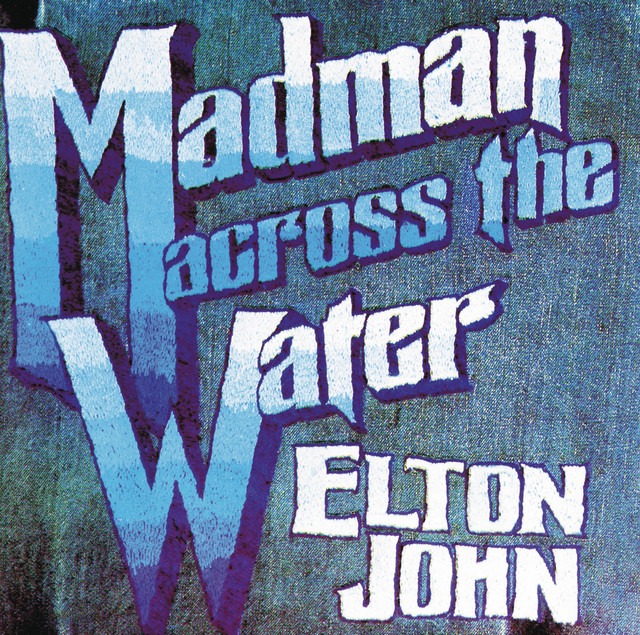
By late 1971, Elton John was moving at a pace that would make a modern pop star collapse. Madman Across the Water was his third release in a single year, and you can hear the exhaustion and the exhilaration fighting for space in the grooves. This was Elton’s “Art Rock” moment—a deep dive into progressive arrangements, sweeping Paul Buckmaster strings, and lyrics that felt more like cryptic short stories than radio hits.
While the UK was initially lukewarm, North America fell head over heels. This is the record that gave us the cinematic sprawl of “Levon” and the California-dreaming of “Tiny Dancer.” It was recorded at the legendary Trident Studios, marking the end of an era before Elton moved to France to become the glam-rock superstar the world remembers. If Tumbleweed Connection was his love letter to the American West, Madman was his grand, theatrical bow to the world stage.
- The Rick Wakeman Connection
- Before he was the cape-wearing wizard of Yes, a young Rick Wakeman was a go-to session man. He played the Hammond organ on two tracks for this album, adding a layer of progressive texture that helped define Elton’s brief but brilliant foray into the prog-rock genre.
- The Mick Ronson “Lost” Version
- The title track was actually intended for the previous album, Tumbleweed Connection. A version was recorded featuring the gritty, electric guitar work of Mick Ronson (of David Bowie’s Spiders from Mars), but it was ultimately shelved and re-recorded with a more orchestral feel for this release.
- The “Jesus Freaks” Controversy
- “Tiny Dancer” wasn’t an immediate juggernaut, partly because it was over six minutes long, but also because of the lyrics. Some radio stations actually banned the track because they found the opening line of the second verse—”Jesus freaks out in the streets”—too controversial for the airwaves in 1972.
- The Blueprint for a Movie Moment
- “Tiny Dancer” spent decades as a “middle-of-the-road” hit until filmmaker Cameron Crowe used it for a pivotal bus singalong in his 2000 film Almost Famous. That single cinematic placement is credited with completely resurrecting the song’s legacy, taking it from a 1971 deep cut to a 5x Platinum anthem that is now more popular than it ever was during its original release.
- The Seamstress is Real
- The famous “seamstress for the band” in “Tiny Dancer” wasn’t a poetic metaphor; it was Maxine Feibelman, Bernie Taupin’s wife at the time. She actually traveled with the group and sewed patches onto Elton’s velvet jackets and jeans to keep his stage wardrobe together.